Flow AI
Test Files
Upload and manage test files for flow development
Upload test files to use during flow development and testing.
Uploading Files
Access via Upload Test Files from the Flow AI options menu.
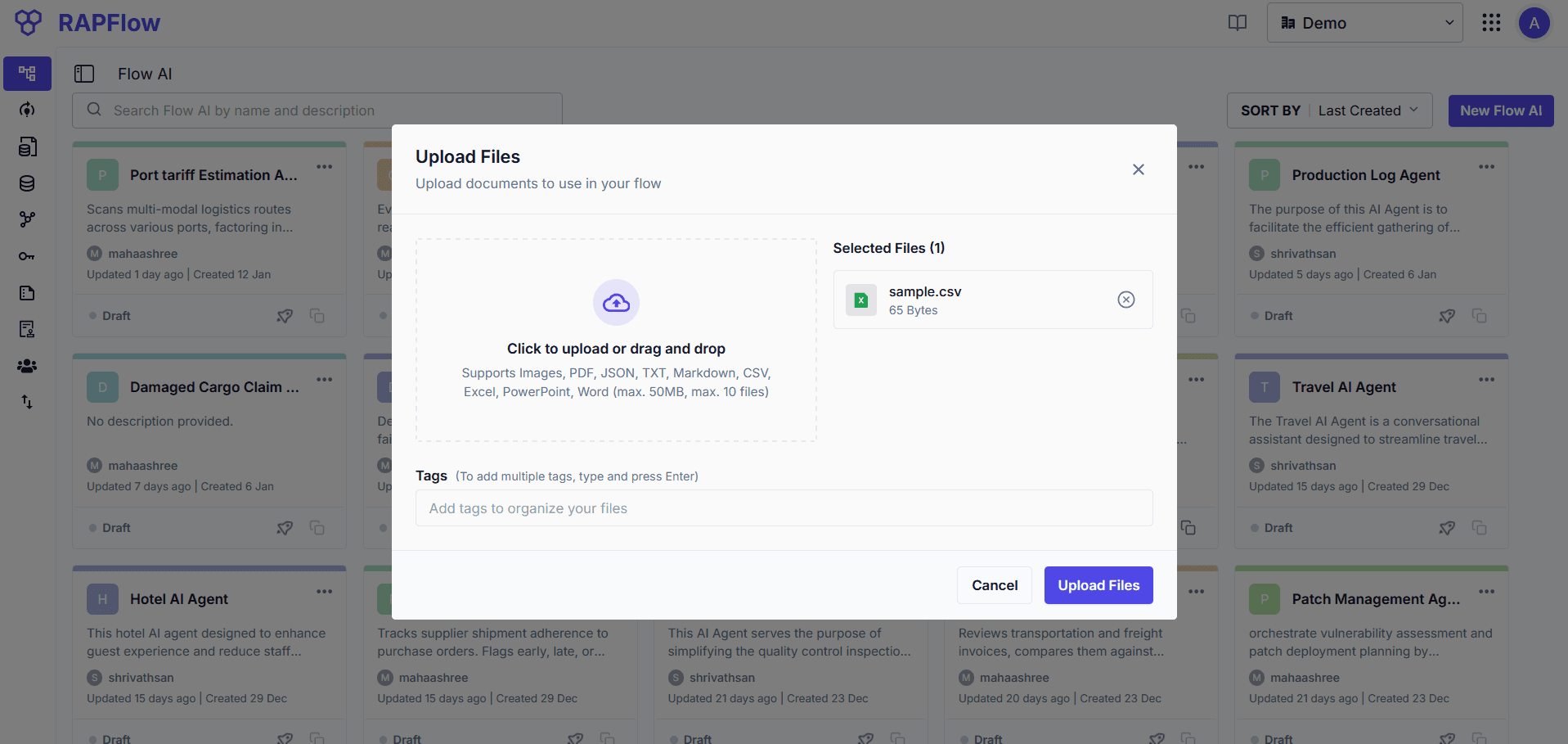
- Drag and drop or click to select files
- Supported formats: Images, PDF, JSON, TXT, Markdown, CSV, Excel, PowerPoint, Word
- Max file size: 50MB, up to 10 files per upload
- Add tags to organize files
Viewing Files
Access via View Test Files from the Flow AI options menu.
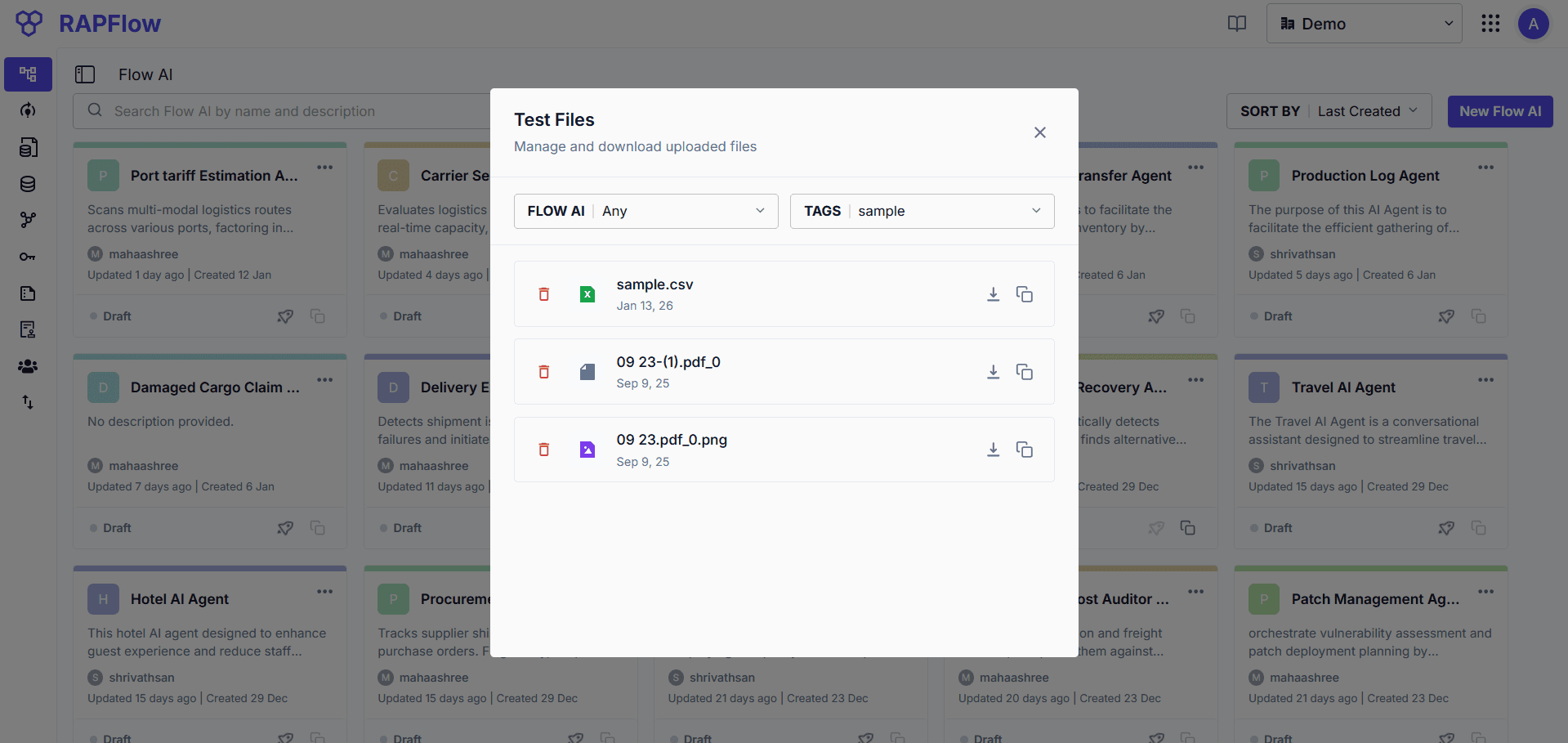
Filter files by Flow AI or tags. Each file can be downloaded, copied, or deleted.