Experiments
Create Experiment
Set up a new experiment with modality, task, and dataset.
Create Experiment
1. Experiment Setup
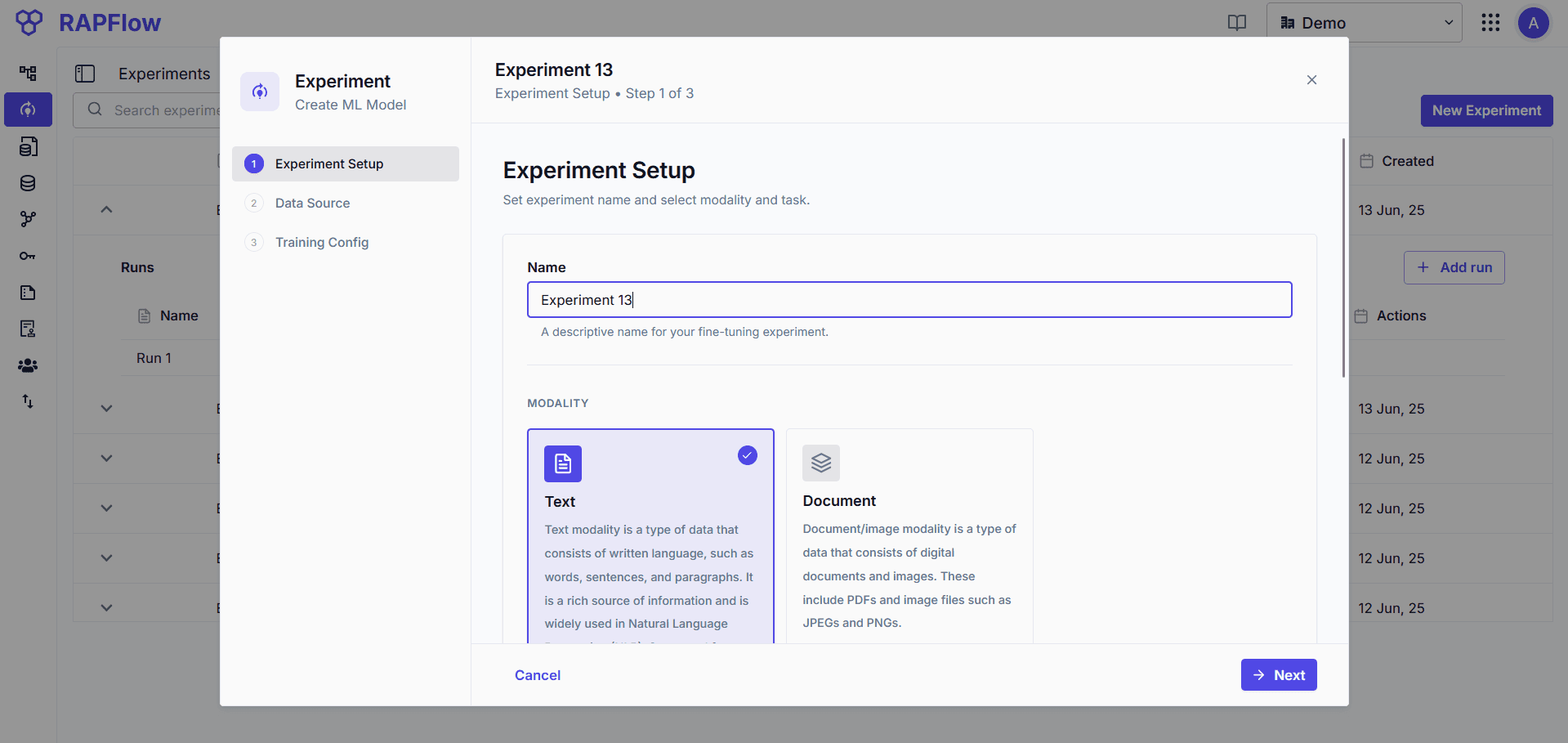
Select your experiment configuration:
Text Modality
For processing written language data (txt, pdf).
| Task | Description | Sub-types |
|---|---|---|
| Entity Extraction | Identify and classify entities (people, organizations, locations) in text | - |
| Large Language Models | Fine-tune LLMs for summarization, Q&A, content generation | - |
| Text Classification | Assign predefined categories to input text | Binary, Multiclass, Multilabel |
Document & Image Modality
For processing digital documents and images (PDF, JPEG, PNG).
| Task | Description |
|---|---|
| Sequence Labeling | Assign labels to elements in a document sequence |
| Document Classification | Classify documents into predefined categories |
2. Data Source
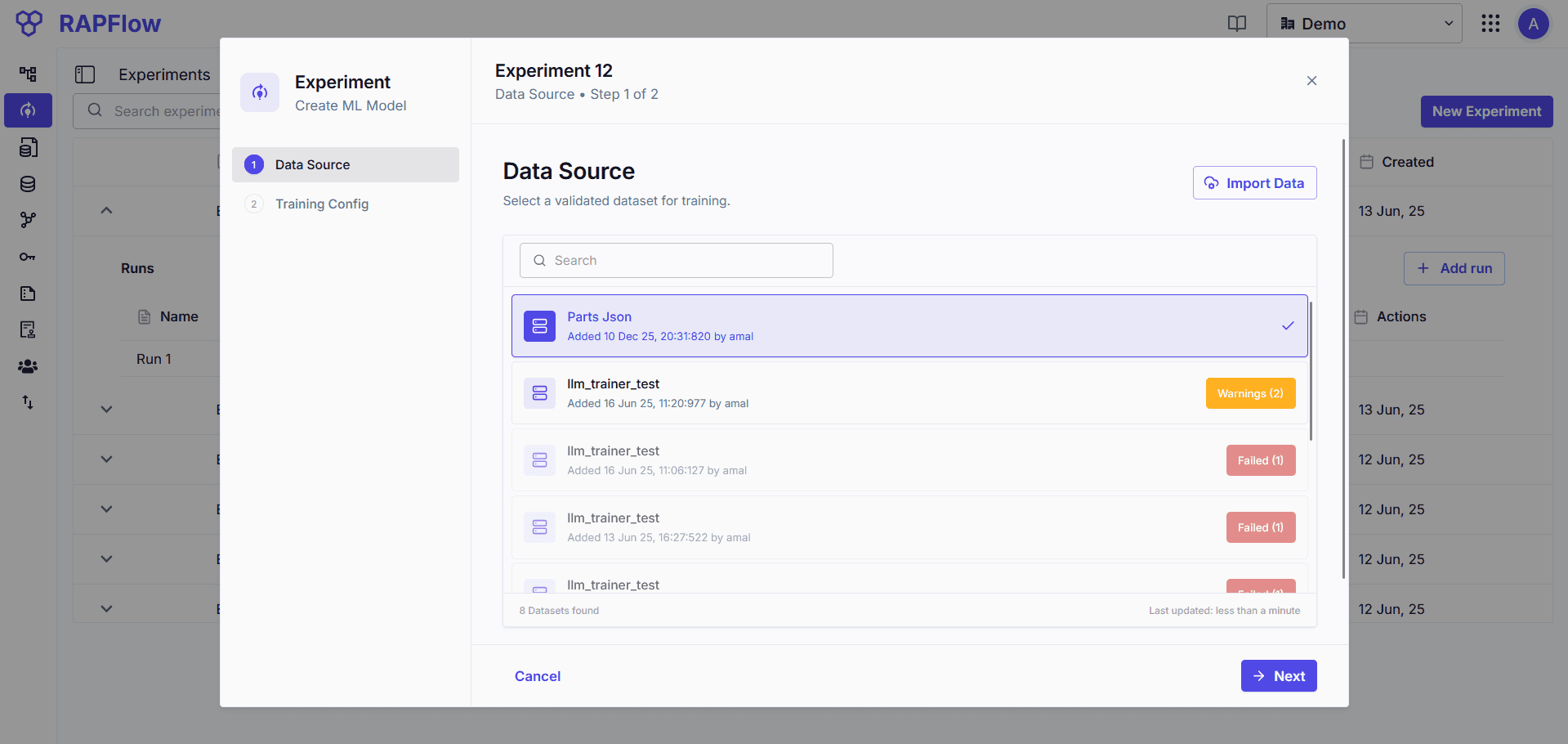
Import your training data. The dataset undergoes validation:
| Status | Action |
|---|---|
| Pass | Proceeds to trainer configuration |
| Fail | Shows error reason, must fix data |
| Warning | Shows warning, can proceed |
3. Trainer Config
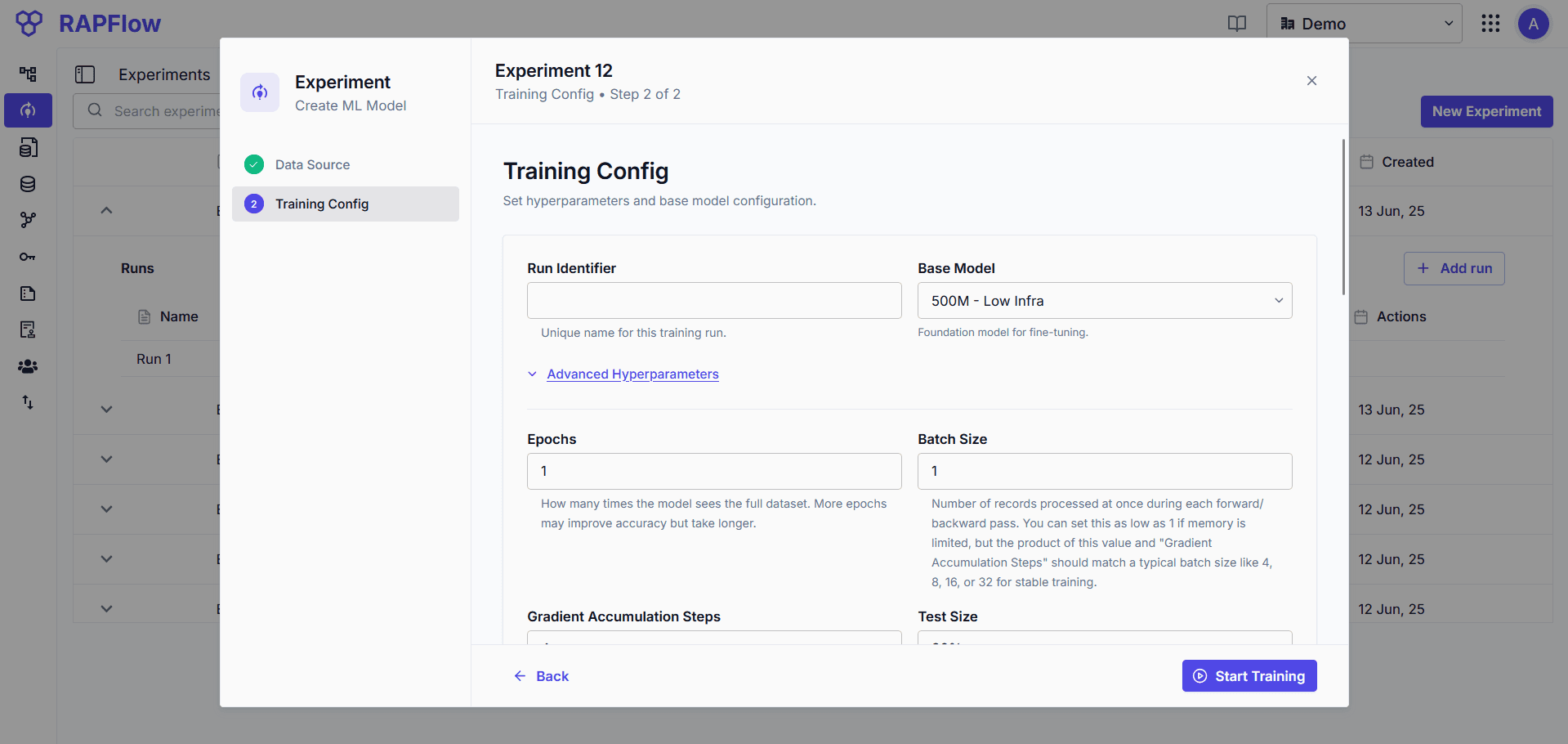
Configure the training run:
| Field | Description |
|---|---|
| Run Name | Identifier for this training run |
| Base Model | Select the model to fine-tune |
| Advanced Parameters | Training hyperparameters with optimized defaults |
Advanced parameters have best-practice defaults. Adjust only if needed.