Image Classifier
Classifies images into predefined categories. It takes an image as input and returns the predicted class label based on the trained model you select.
Quick Start
To get started:
- Choose a trained model from the Model to use dropdown
- Send an image path via
msg.payload - Receive the classification result in
msg.payload
Configuration
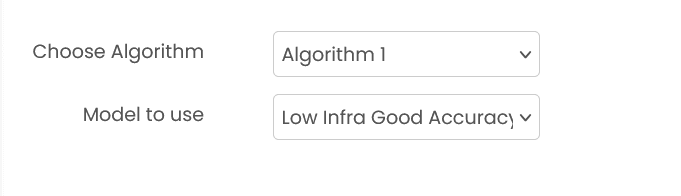
Model to use (required)
Select a pre-trained model from the dropdown menu. Models must be trained beforehand using the image classifier trainer block.
Common Input Format (All Algorithms)
msg.payload (string)
Relative path of the image file on shared storage.
Example: "images/photo.jpg" or "documents/image.png"
Supported formats: .png, .jpg, .jpeg (case insensitive)
Output by Algorithm
Algorithm 1 / Algorithm 2
msg.payload is an object with prediction and confidence:
Example: {"prediction": "invoice", "confidence": "0.98"}
Algorithm 3
msg.payload is an object with prediction only (no confidence):
Example: {"prediction": "invoice"}
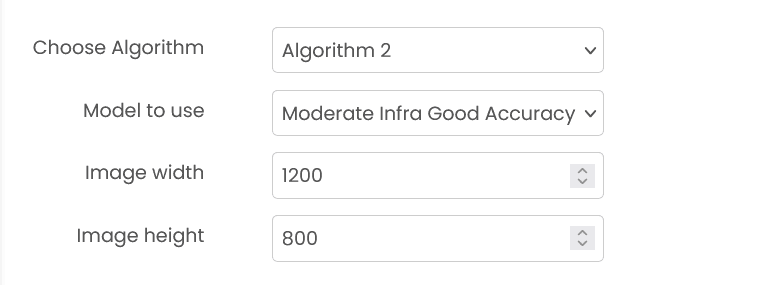
Optional: model-specific dimensions
Some models require you to provide the expected input width and height.
Example
Input (msg.payload)
"images/photo.jpg"Output (msg.payload)
{
  "prediction": "product_photo",
  "confidence": "0.89"
}
Errors
When the block fails, it raises an error. Use a Catch block in your flow to handle failures and inspect the error payload.
Common mistakes
- Missing or wrong image path:
msg.payloadmust be a valid image path on shared storage. - Unsupported image type: Only
.png,.jpg, and.jpegare supported. - Dimensions don’t match model expectations: If your selected model requires width/height, set them to match the model input shape.
Best Practices
- Use clear, well-lit images with appropriate resolution for better accuracy
- Ensure your training data covers all expected image categories comprehensively
- Regularly retrain and update models as your classification categories evolve
- Always validate classification results in production applications, especially for critical decisions