BlocksComputer Vision Blocks
TIFF Utils
Splits TIFF files into individual image files.
Quick Start
To get started:
- Select Split TIFF from the Choose Operation dropdown
- Send TIFF file path via
msg.payload.file_path - Receive processed result in
msg.payload
Configuration
Configuration varies by operation.
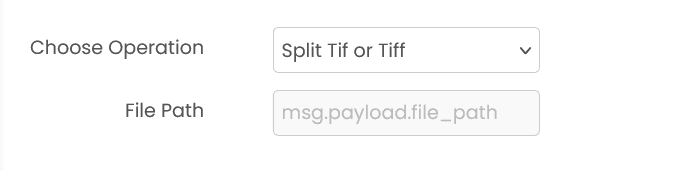
Common Input Format
msg.payload.file_path (string)
Relative path of the TIFF file on shared storage.
Example: "images/scan.tiff"
Common Output Format
msg.payload contains an output array of generated image paths.
Available Operations
- Split TIFF (
split_tiff)
Example
Input (msg.payload)
{
  "file_path": "images/scan.tiff"
}
Output (msg.payload)
{
  "output": ["scan_1.png", "scan_2.png"]
}
Errors
When the block fails, it raises an error. Use a Catch block in your flow to handle failures and inspect the error payload.
Common mistakes
- Invalid file path: TIFF file doesn't exist.
- Corrupted TIFF: TIFF file is corrupted.
- Invalid page number: Page number is out of range.
- Service unavailable: The service is unavailable or unreachable.
Best Practices
- Extract individual pages from multi-page TIFFs for processing
- Convert TIFF to PNG/JPG for wider compatibility
- Handle multi-page TIFFs appropriately
- Clean up extracted files after use