Audit Logs
Overview
Track and monitor user actions within your organization
Audit Logs capture all user actions performed within your organization on the RAPFlow platform, providing a complete record for security, compliance, and troubleshooting.
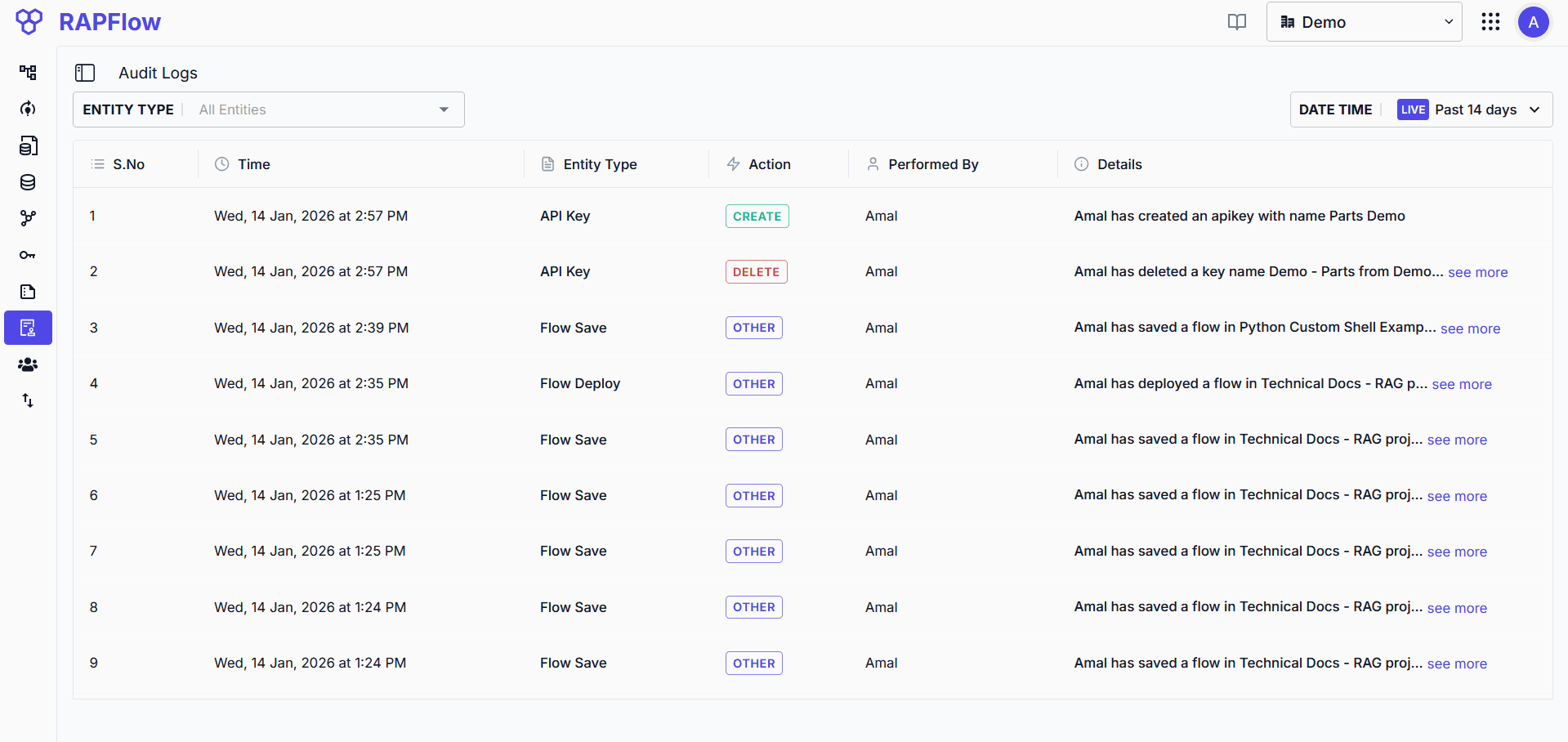
Filtering Logs
- Entity Type: Filter by specific entity types to focus on relevant actions
- Date Time: Select a time range or view live updates
Each log entry shows:
- Time: When the action occurred
- Entity Type: The resource that was acted upon
- Action: The operation performed (CREATE, DELETE, OTHER)
- Performed By: The user who initiated the action
- Details: Description of the action with additional context
Tracked Entities
The following entities are captured in audit logs:
- Auth
- License
- User
- Flow Save
- Flow Deploy
- Organization
- Project
- Common Storage
- API Key
- Export
- Import
- Experiment
- Run
- Run Start
- Run Stop
- Freeze Run
- Dataset
- Reset Password
- Import Model
- Export Model
- Revert Saved Flow
- Clean up
- Business Data Collection
- Write Data
- Save View
- Update View
- Drop Collection
- Export Data as XLSX