Flow AI
Run Logs
Monitor and debug flow invocations
Every time a Flow AI is invoked through the Consumer API, an entry is recorded in Run Logs. Access via Run Logs from the Flow AI options menu.
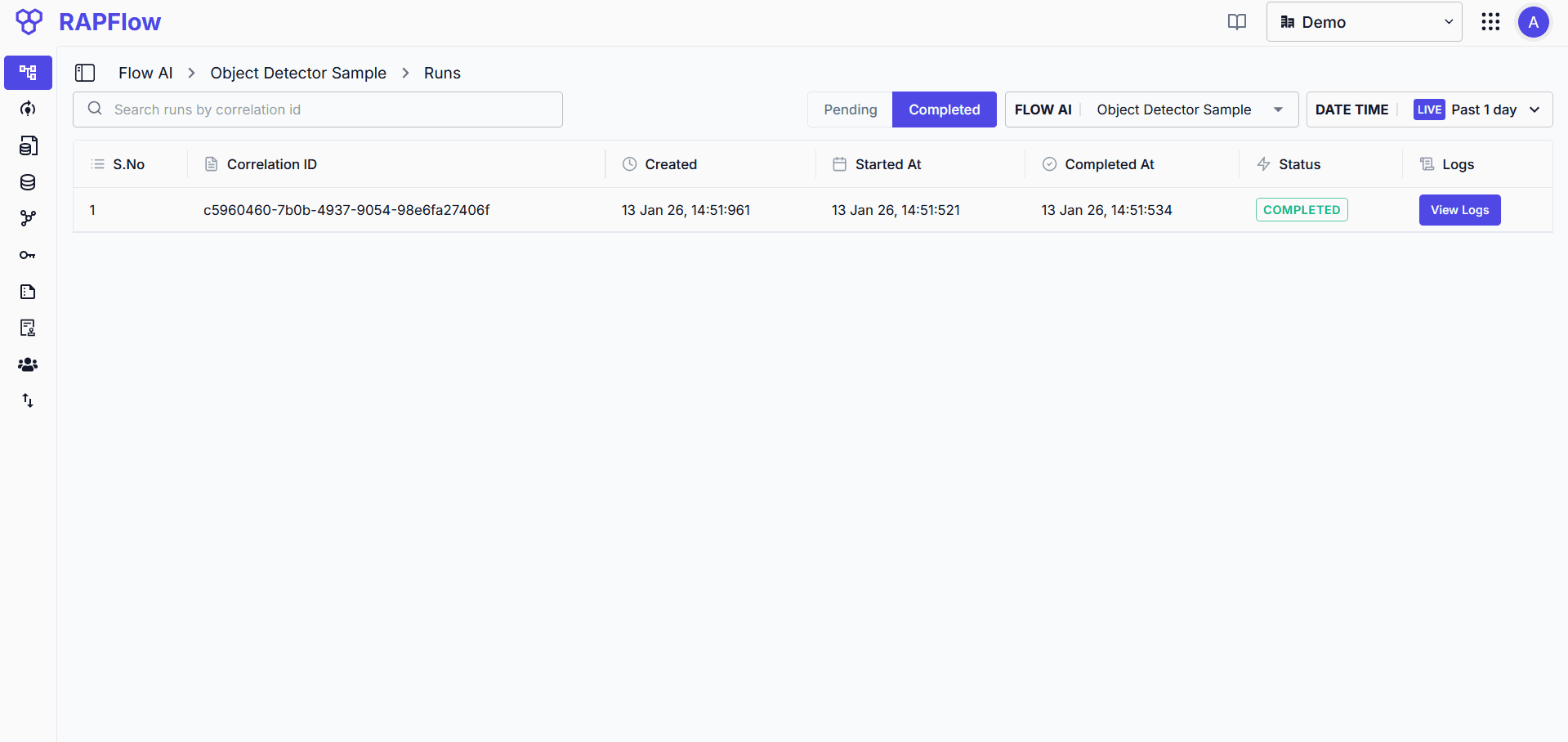
Run Status
| Status | Description |
|---|---|
| Pending | Flow is queued and awaiting execution |
| Completed | Flow executed successfully |
| Failed | Flow encountered an error during execution |
Filter runs by status, Flow AI, date range, or search by correlation ID.
Viewing Logs
Click View Logs on any run to see detailed execution logs.
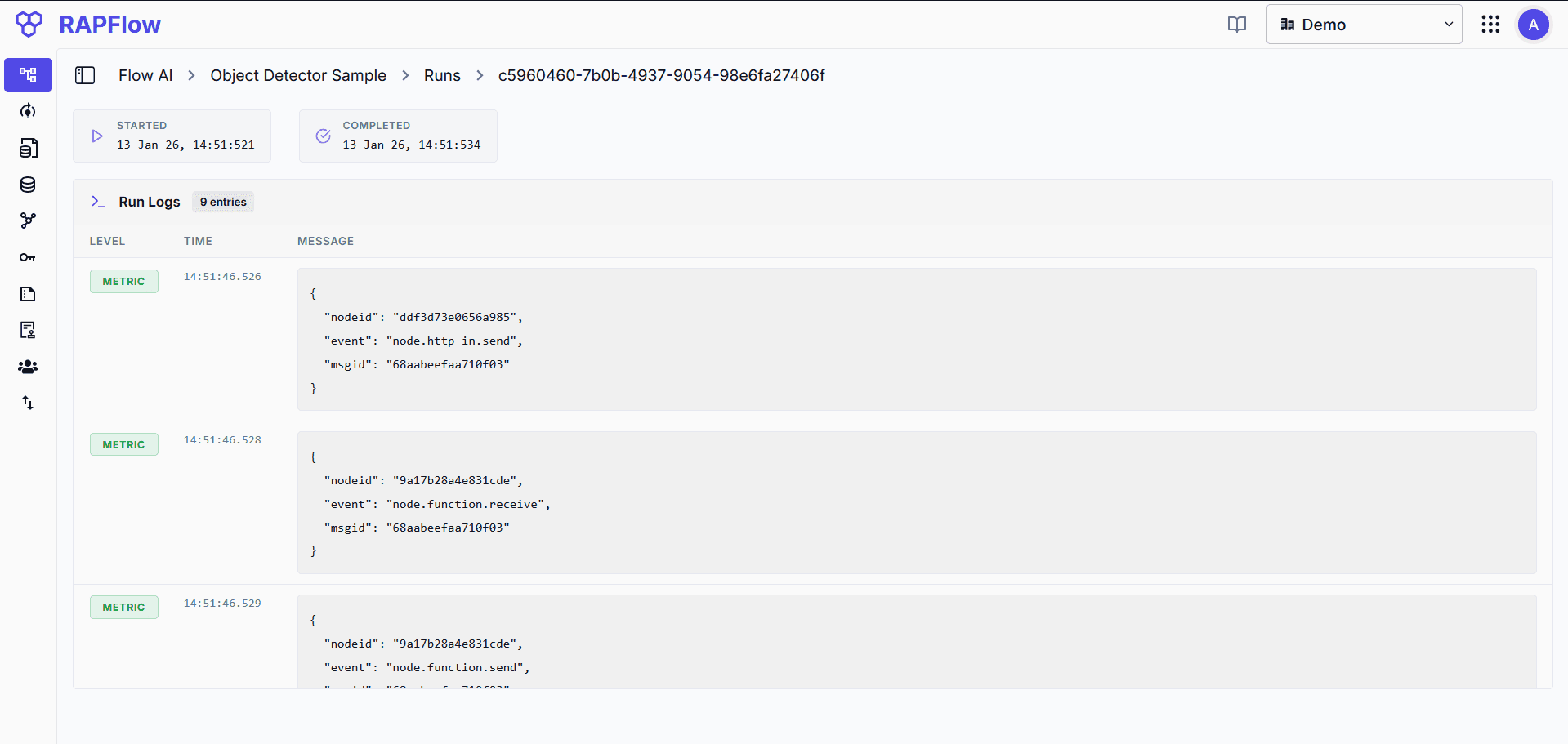
Each log entry shows:
- Level: Log type (METRIC, DEBUG, etc.)
- Time: Precise timestamp of execution
- Message: Block details including node ID, event type, and message ID
Use timestamps to identify performance bottlenecks. If you have debug blocks connected in your flow, their payloads appear here-useful for troubleshooting failures or unexpected behavior.