Project
Create Project
Guide to creating and configuring new projects in VerifyMe
Organization Admins have exclusive rights to create new projects in VerifyMe.
Project Creation Process
Click the Create Project button to open the project creation form.
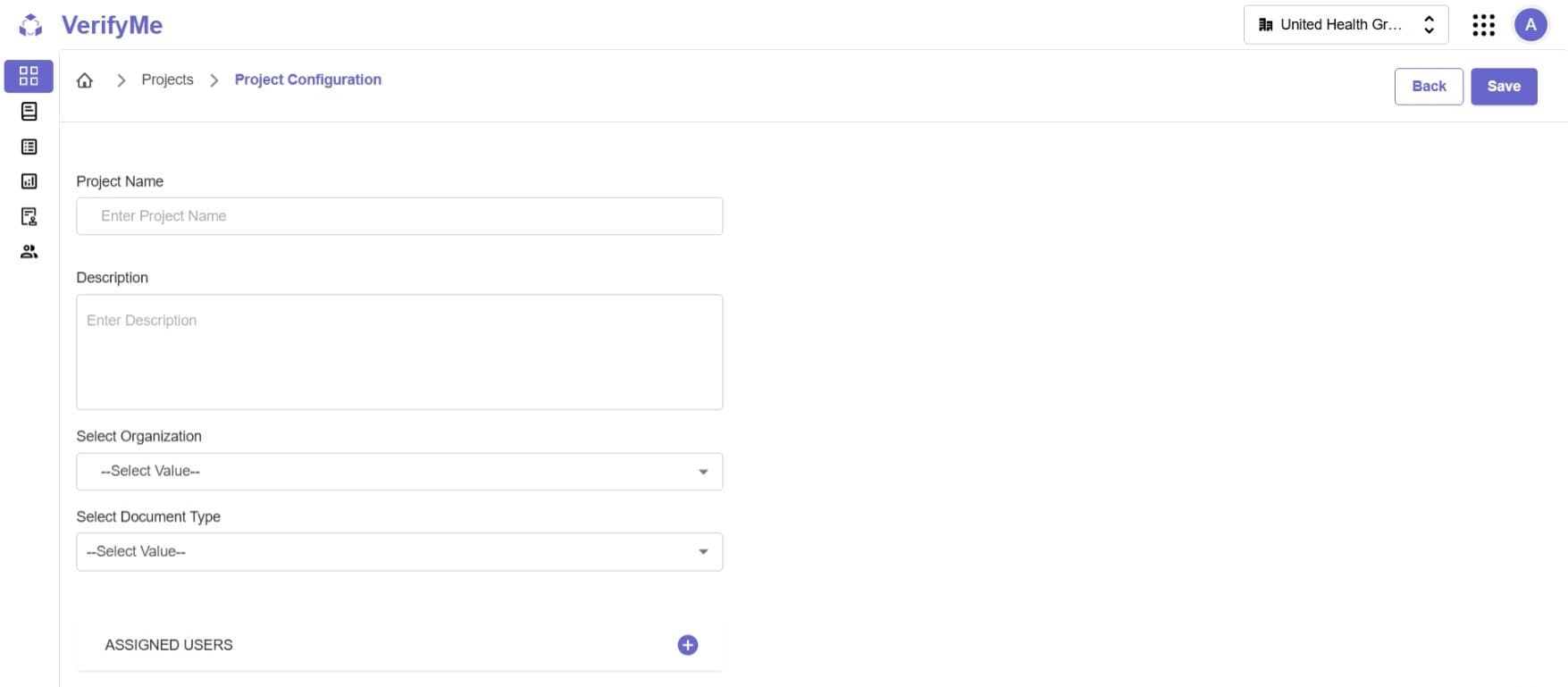
Required Fields
1. Project Name
Enter a unique, descriptive name for easy identification in the project table.
2. Description
Provide project purpose and objectives to help team members understand the verification goals.
3. Select Organization
Choose the organization that will own this project.
4. Select Document Type
Choose the document type template that defines fields and structure for all project documents.
5. Assign Users
Select users with appropriate roles (QC Lead, QC Analyst) to work on this project.
Save Project
After completing all required fields:
- Review all entered information for accuracy
- Click the Save Project button
- The project will be created and appear in the Project Screen table
- Assigned users will be able to access the project immediately