Tasks & Scheduling
Add tasks in Orchestrator and see them on RAPBot Agent
Tasks are built in Bot Studio, published to Orchestrator, assigned to an agent, and then appear on RAPBot Agent. Scheduling and per-agent configuration are done in Orchestrator.
End-to-End Flow
Bot Studio → Task Library → Assign to agent → RAPBot Agent (within 30 sec)1. Publish Tasks to Orchestrator
From Studio, use Send Task to Orchestrator on a local task. The task appears in the organization Task Library.
See Bot Studio — local task options and Orchestrator Tasks.
2. Add a Task to an Agent
- In Orchestrator, open the agent detail page
- In the Tasks section, click the + button to add a task
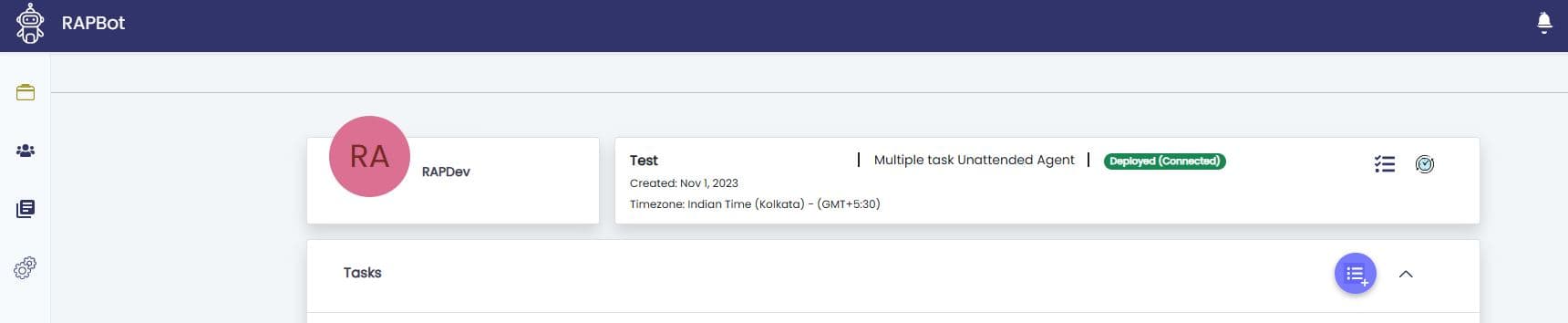
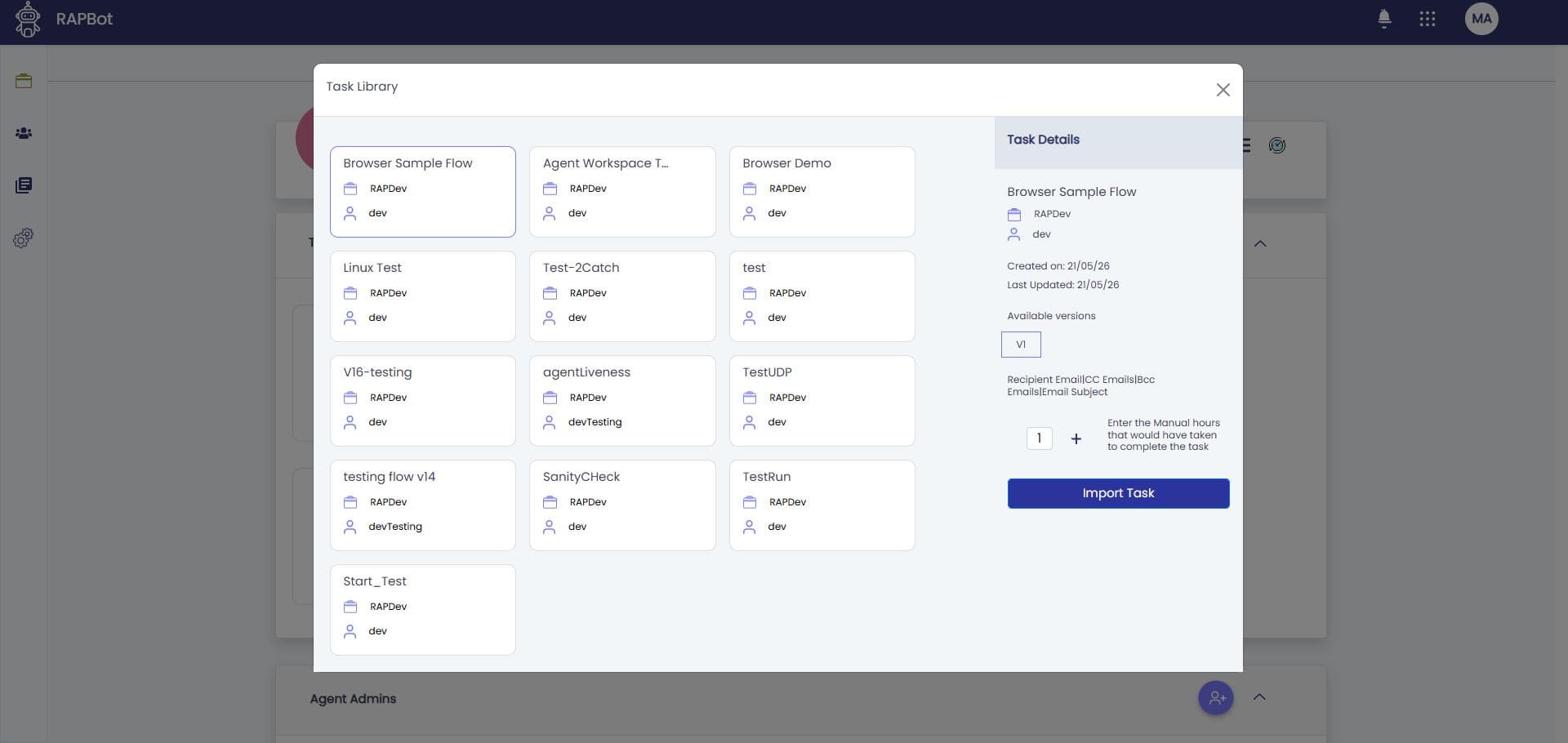
- The Task Library modal opens — select a task and version
- Set manual hours, email configuration if needed, and click Import Task
3. Configure Task Variables
On the agent task list, open Configure for a task to set variables from the Studio start block (payload, topic, file paths, amounts, etc.):
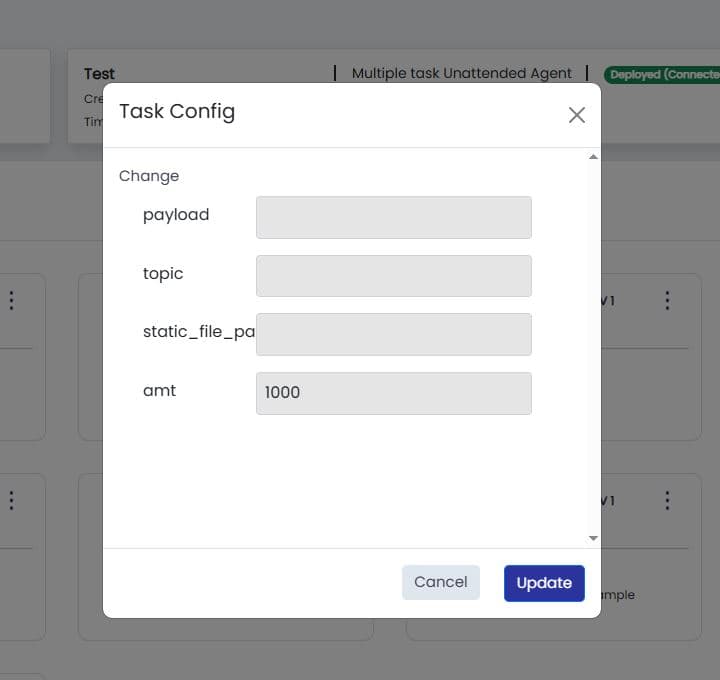
Click Update to save. Configuration is synced to the agent along with the task package.
- Studio: start block
- Orchestrator: Task Configuration
4. Tasks Appear on the Agent
Assigned tasks and updated configuration sync to RAPBot Agent automatically within 30 seconds, or immediately when you click Refresh on the Agent Tasks screen.
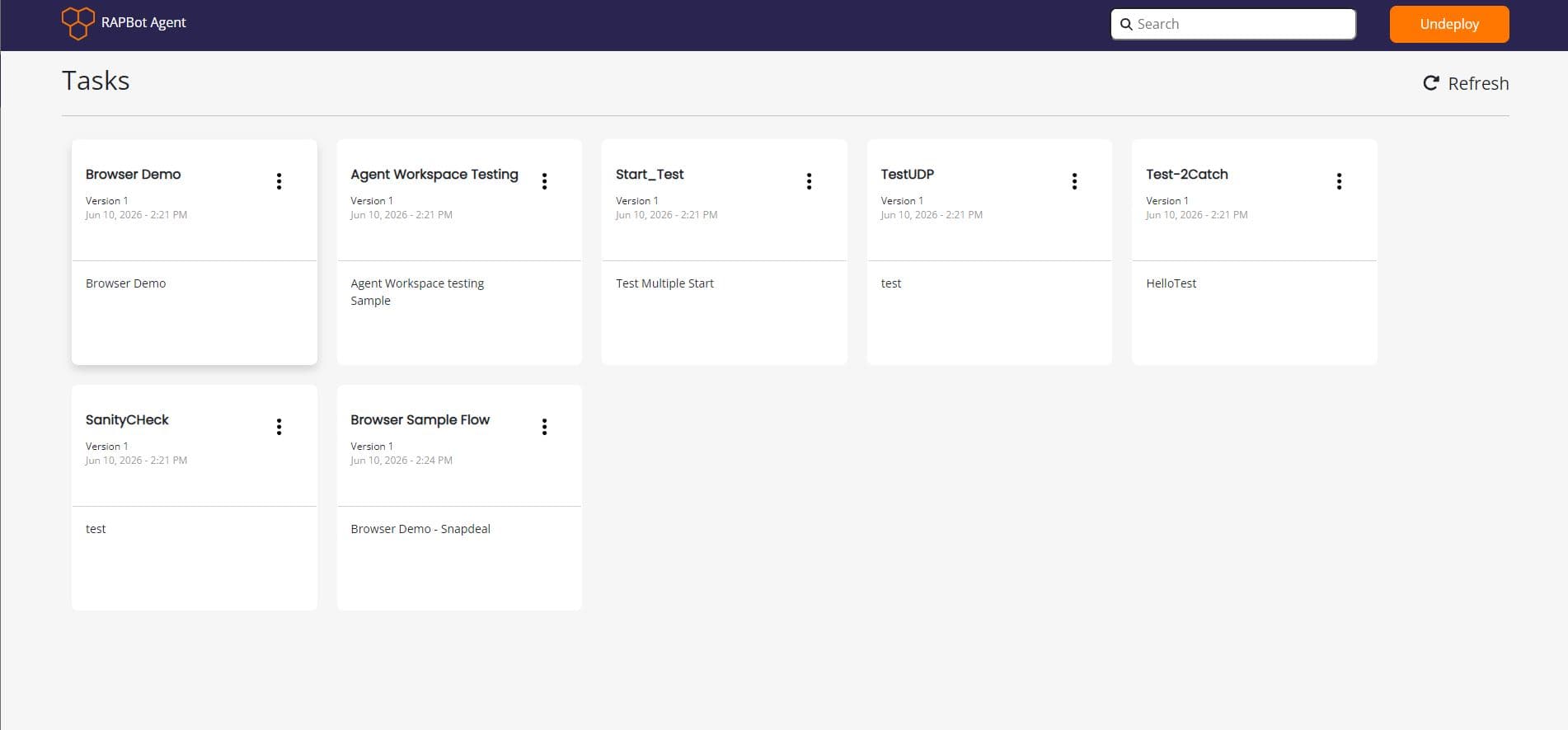
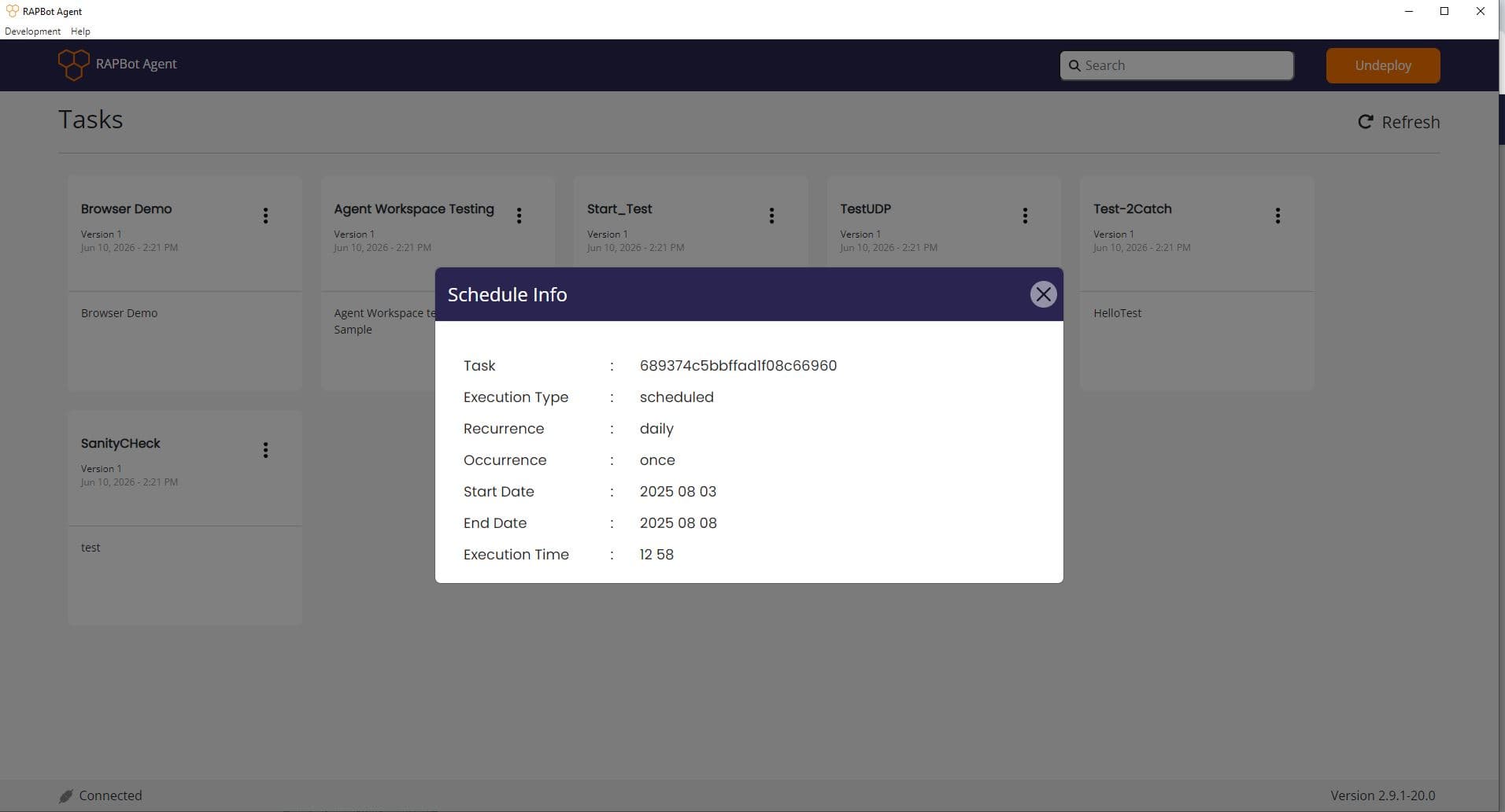
On the agent, use the task ⋮ menu to view Config and Schedule synced from Orchestrator. See Agent Interface.
5. Schedule Tasks
Schedules are created in Orchestrator on the agent's task list (schedule icon / modal), not in RAPBot Agent.
| Setting | Description |
|---|---|
| Execution type | Scheduled or Triggered (after another task completes) |
| Recurrence | Daily, weekly, monthly, or specific dates |
| Time period | Start and end dates |
| Execution time | Once or multiple times per day |
Schedules use the agent's time zone from when the agent was created.
Full reference: Scheduling Tasks
View schedule on the agent
After sync, open Schedule from the task ⋮ menu on the agent to read the active schedule:
Manual Runs and Trigger Task API
From Orchestrator you can Run or Stop tasks on a connected agent from the agent task list.
Trigger Task API (task queue)
This is not the same as Orchestrator data queues or the Studio read queue block (which reads transaction items from a data queue).
The Trigger Task API queues a task run on a connected agent. Use it when an external system or another automation needs to start a specific task on demand.
API
| Method | POST |
| URL | {orchestratorURL}/api/triggerTask/agent/{agentId}/task/{taskId}/start |
| Header | x-api-key: {your api key} |
| Body | None |
Get the sample URL and IDs from the Trigger Task API option on a task in the Orchestrator agent detail page. API keys are managed under API Keys.
Orchestrator responds with a message such as Triggered Successfully. The task is set to run in next few mins when the agent is deployed and connected.
How it reaches the agent
- The API call registers a pending trigger in Orchestrator.
- On the next agent sync cycle (within 30 seconds, or immediately after Refresh), Orchestrator sends the trigger to the agent.
- The agent writes the request to its local task queue (agent database).
- When no other task is running, the agent picks up the queued run and starts execution.
The same API is used by the Studio task queue block in automation flows — it calls the Trigger Task API with Domain URL, Agent ID, Task ID, and API Key.
Queue behavior
| Situation | Behavior |
|---|---|
| Agent already running a task | New trigger waits in the local queue (ready_to_run) until the current run finishes |
| Another trigger arrives while one is queued | Additional runs are queued; unattended agents may skip duplicates already pending |
| Agent not connected | API returns an error (agent not deployed or inactive) |
Run from Orchestrator UI
Clicking Run on a task in Orchestrator uses the same trigger mechanism — the request is delivered to the agent on the next sync and added to the local task queue before execution.