Local Task Options
Edit, export, delete, and send local tasks to Orchestrator
Each local task card has an options menu (⋮) in the top-right corner. Use these actions to manage tasks on your machine.
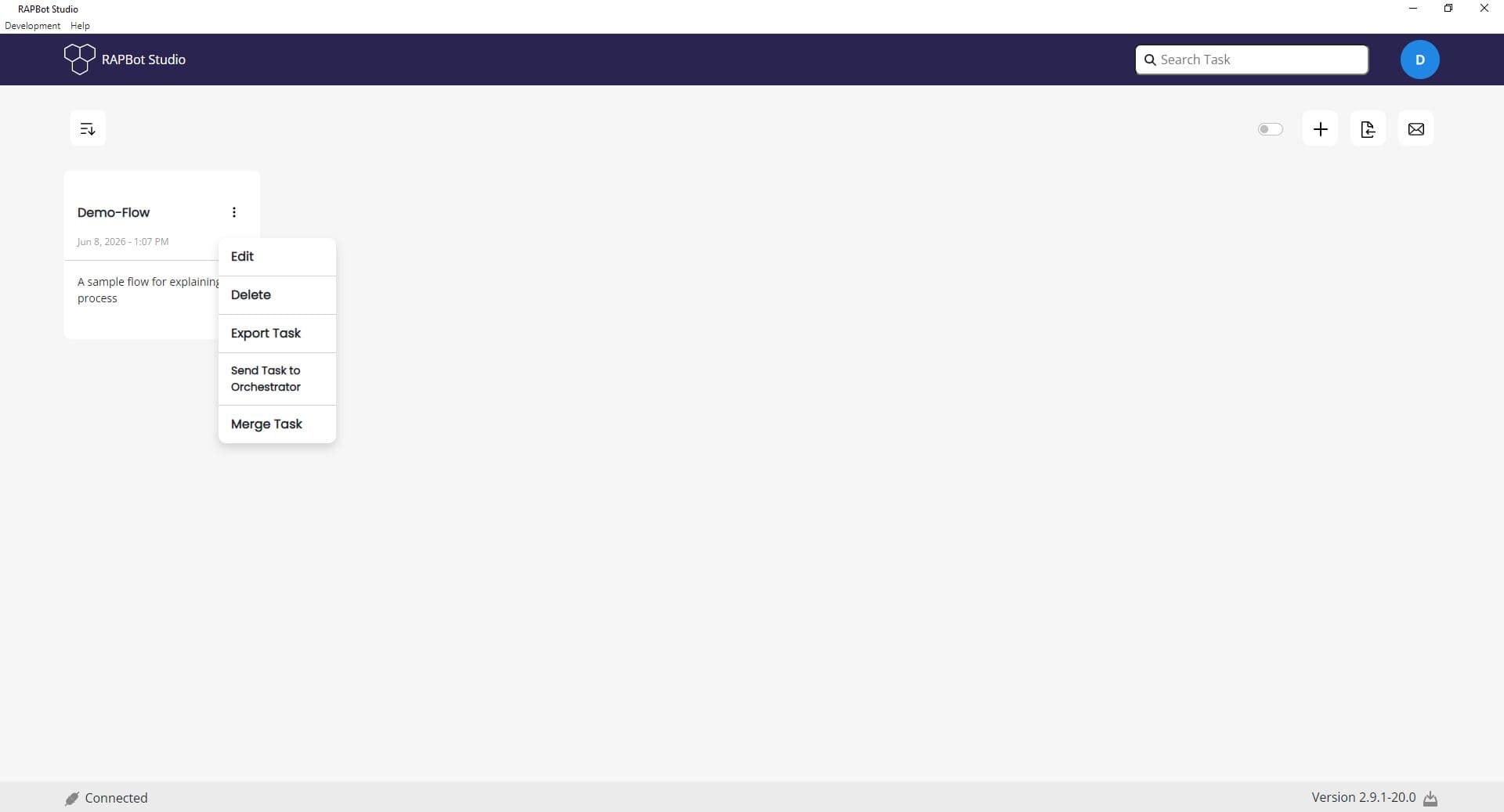
Local Task Actions
| Action | Description |
|---|---|
| Edit | Edit the task name and description |
| Delete | Permanently remove the local task |
| Export Task | Save the task to a file for backup or sharing |
| Send Task to Orchestrator | Upload the task to your connected Bot Management Console organization |
| Merge Task | Combine this task with another task |
Common Workflows
Open a task
- Single-click the task card on the dashboard
- Studio opens the flow editor with the task loaded
Edit task name
- Click the ⋮ menu on the task card
- Select Edit
- Update the Task Name or Task Description
- Save your changes
Export for backup
- Open the task options menu
- Select Export Task
- Save the file to your preferred location
Publish to Orchestrator
- Ensure you are logged in and Connected
- Open the task options menu
- Select Send Task to Orchestrator
- The task appears in your organization's task library in Orchestrator
Next Steps
- Organization Task Options — Manage versioned organization tasks
- Bot Management Console Tasks — Task library in Orchestrator