Organization Task Options
Open versions, export, discard drafts, and update tasks to Orchestrator
Organization tasks support versioning and draft management. The options menu provides actions specific to tasks synced from Bot Management Console.
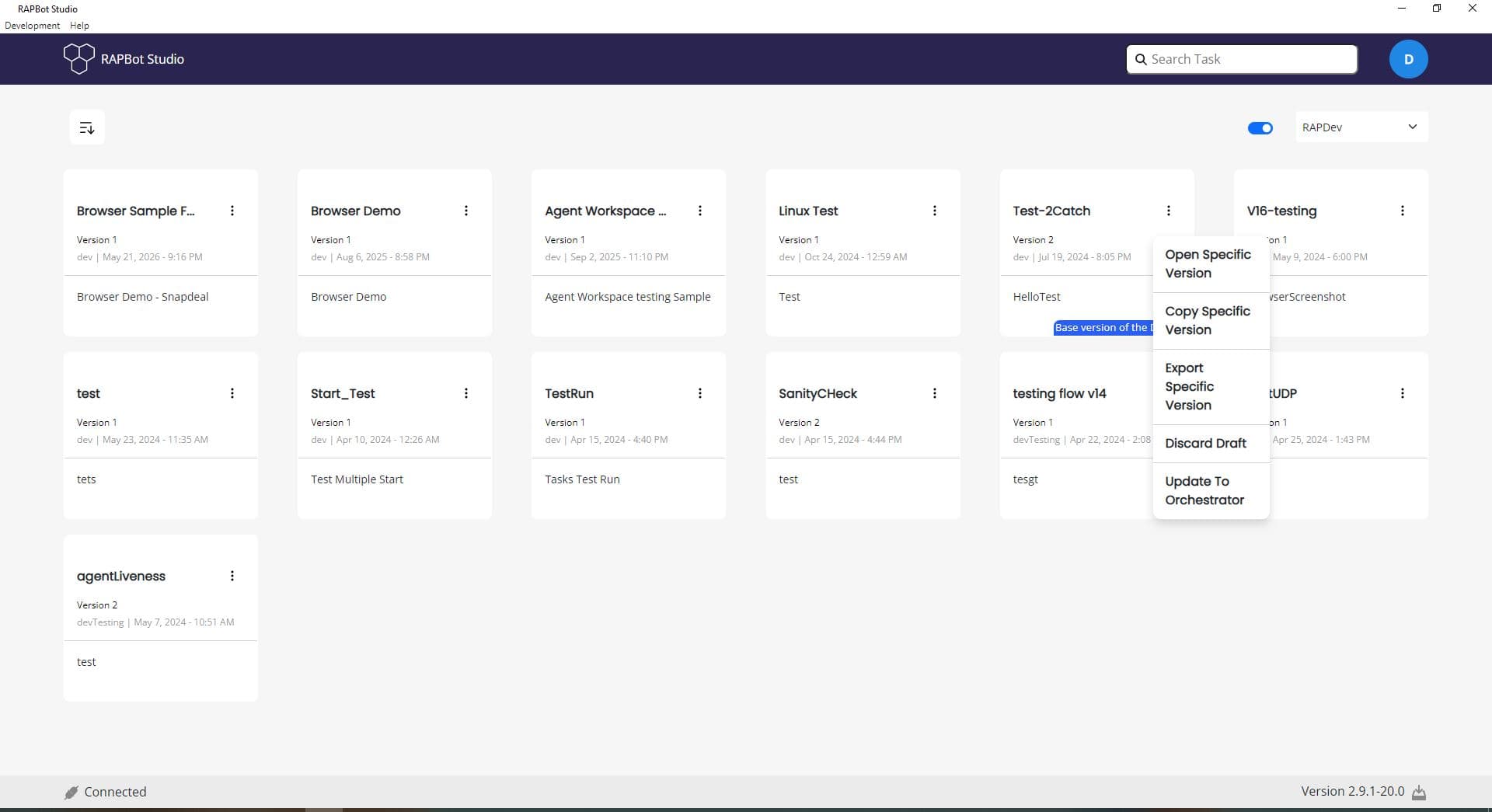
Organization Task Actions
| Action | Description |
|---|---|
| Open Specific Version | Open a particular published version of the task in the editor |
| Copy Specific Version | Create a copy of a specific version as a new local or draft task |
| Export Specific Version | Download a specific version to a file |
| Discard Draft | Remove unsaved draft changes and revert to the base version |
| Update To Orchestrator | Publish draft changes as a new version to Orchestrator |
Versioning Workflow
- Open an organization task — Studio loads the latest version or your draft
- Edit the flow and Save — changes are stored as a draft
- Update To Orchestrator — publish the draft as a new version
- Discard Draft — abandon changes if you want to revert
Draft tooltips (e.g. Base version of the Draft :02) indicate which published version your draft is based on.
Environment Selection
Use the environment dropdown (e.g. RAPDev) to filter tasks for a specific Orchestrator environment. The Switch to Local toggle returns to locally stored tasks.
Next Steps
- Bot Management Console Tasks — Task library and versioning in Orchestrator
- Logout — Sign out of Orchestrator