Organization Tasks
View and manage tasks synced from Bot Management Console
When logged in, use the toggle switch to view organization tasks pulled from Bot Management Console. These tasks show version information, environment labels, and descriptions.
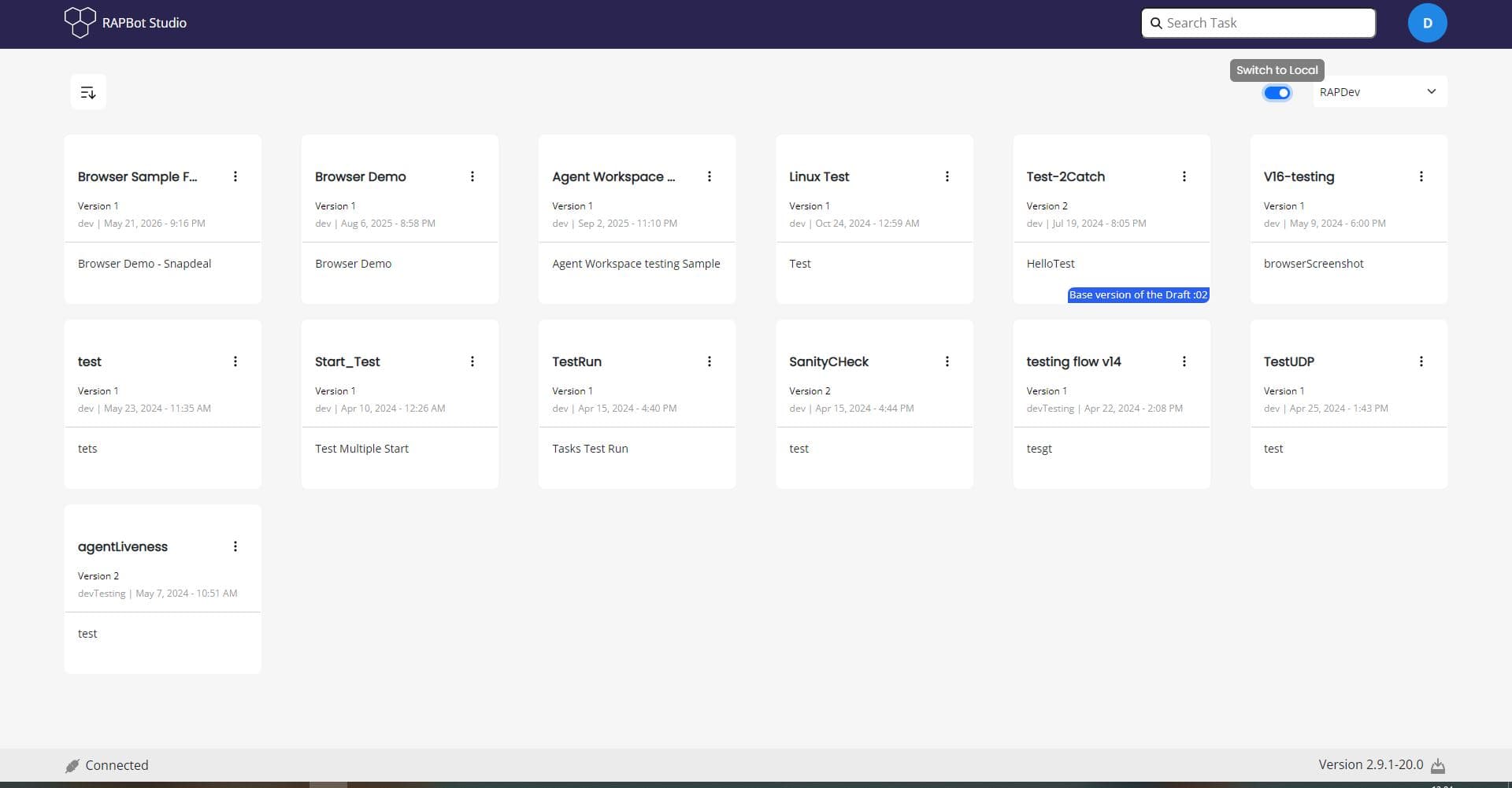
Organization Task View
| Element | Description |
|---|---|
| Switch to Local | Toggle between organization tasks and local tasks |
| Environment dropdown | Select organization environment (e.g. RAPDev) |
| Task cards | Grid of organization tasks with version and metadata |
Task Card Information
Each organization task card displays:
| Field | Description |
|---|---|
| Task name | Name of the automation task |
| Version | Published version number (e.g. Version 1, Version 2) |
| Environment & timestamp | Environment label and last modified date (e.g. dev | May 21, 2024 - 9:16 PM) |
| Description | Brief task description |
| Options menu (⋮) | Version management and orchestrator actions |
Local vs Organization Tasks
| Type | Description |
|---|---|
| Local tasks | Created on your machine; stored locally until exported or sent to Orchestrator |
| Organization tasks | Synced from Bot Management Console; support versioning, drafts, and orchestrator updates |
Hovering over a task card may show draft information such as Base version of the Draft :02.
Next Steps
- Opening a Task — Open a task in the flow editor
- Organization Task Options — Version and orchestrator actions