Connect the Agent
Deploy and connect RAPBot Agent to Orchestrator
After you have connection details from Orchestrator, install and connect RAPBot Agent on the machine that will run automations.
Prerequisites
- RAPBot Agent installed on the target machine
- Agent created in Bot Management Console
- Domain URL, Organization ID, and Agent ID from the Orchestrator agent info dialog
- Network access from the machine to your Orchestrator URL
Agent Communicator Form
When RAPBot Agent is not connected, the Agent Communicator screen is shown:
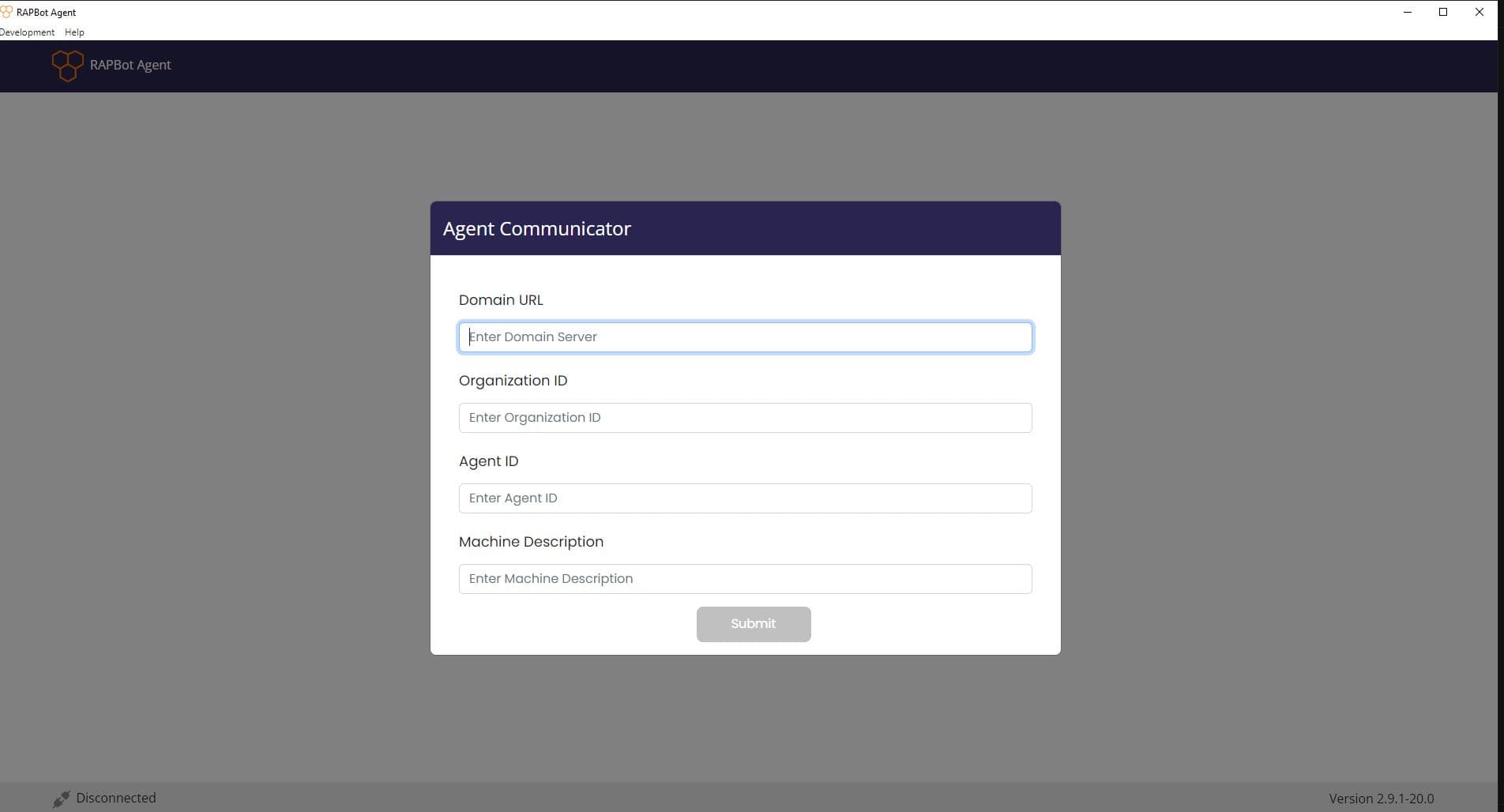
| Field | Description |
|---|---|
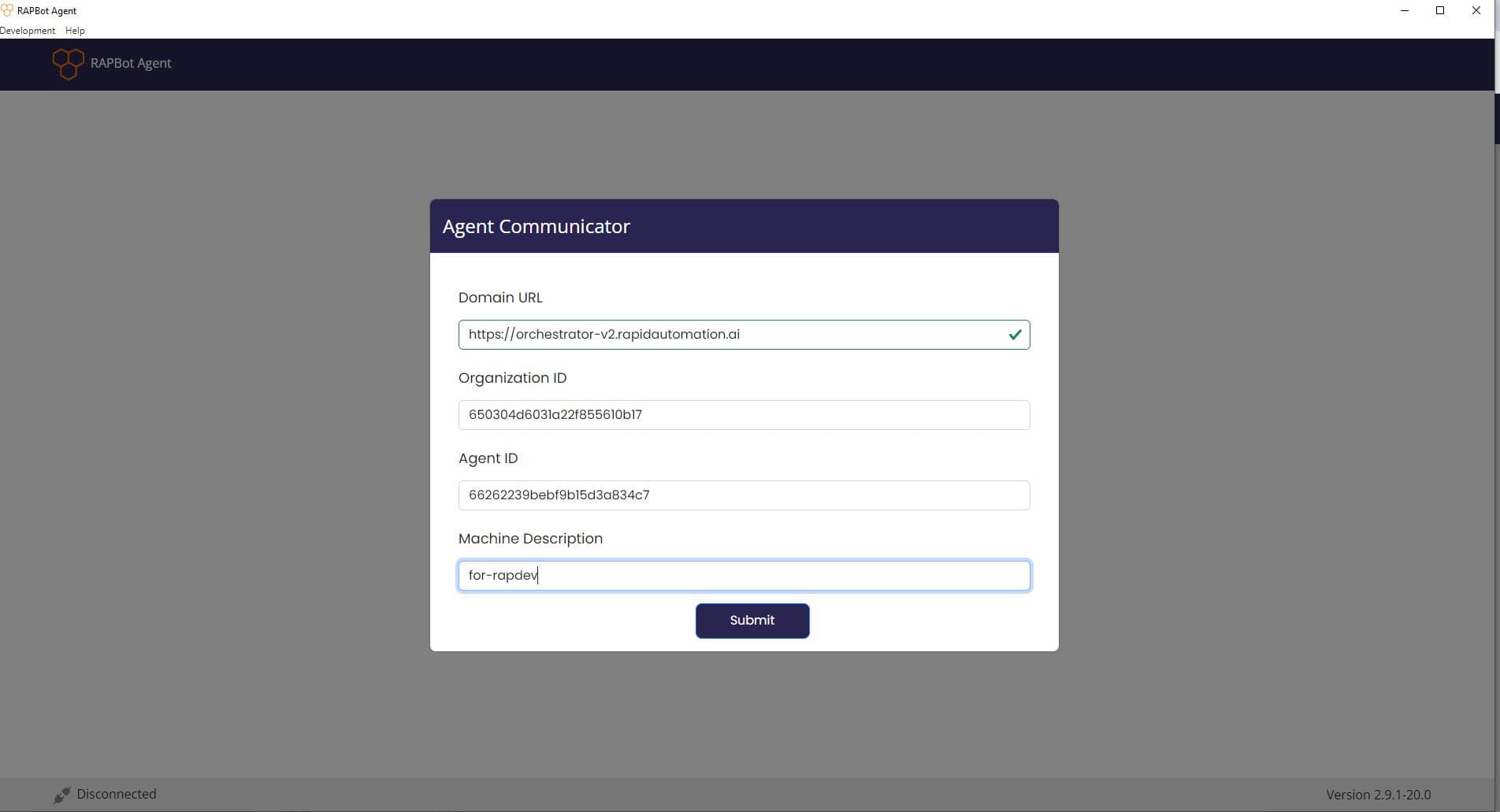
| Domain URL | Orchestrator base URL from agent information |
| Organization ID | Organization identifier from agent information |
| Agent ID | Agent identifier from agent information |
| Machine Description | Label for this machine (e.g. hostname or location) |
| Submit | Connect the agent to Orchestrator |
Enter the values copied from Orchestrator. A green checkmark on Domain URL indicates the URL is valid:
After Connection
On success:
- A Connected Successfully notification appears
- The Tasks screen opens with tasks assigned in Orchestrator
- The status bar shows Connected
- Orchestrator updates the agent card to Deployed (Connected)
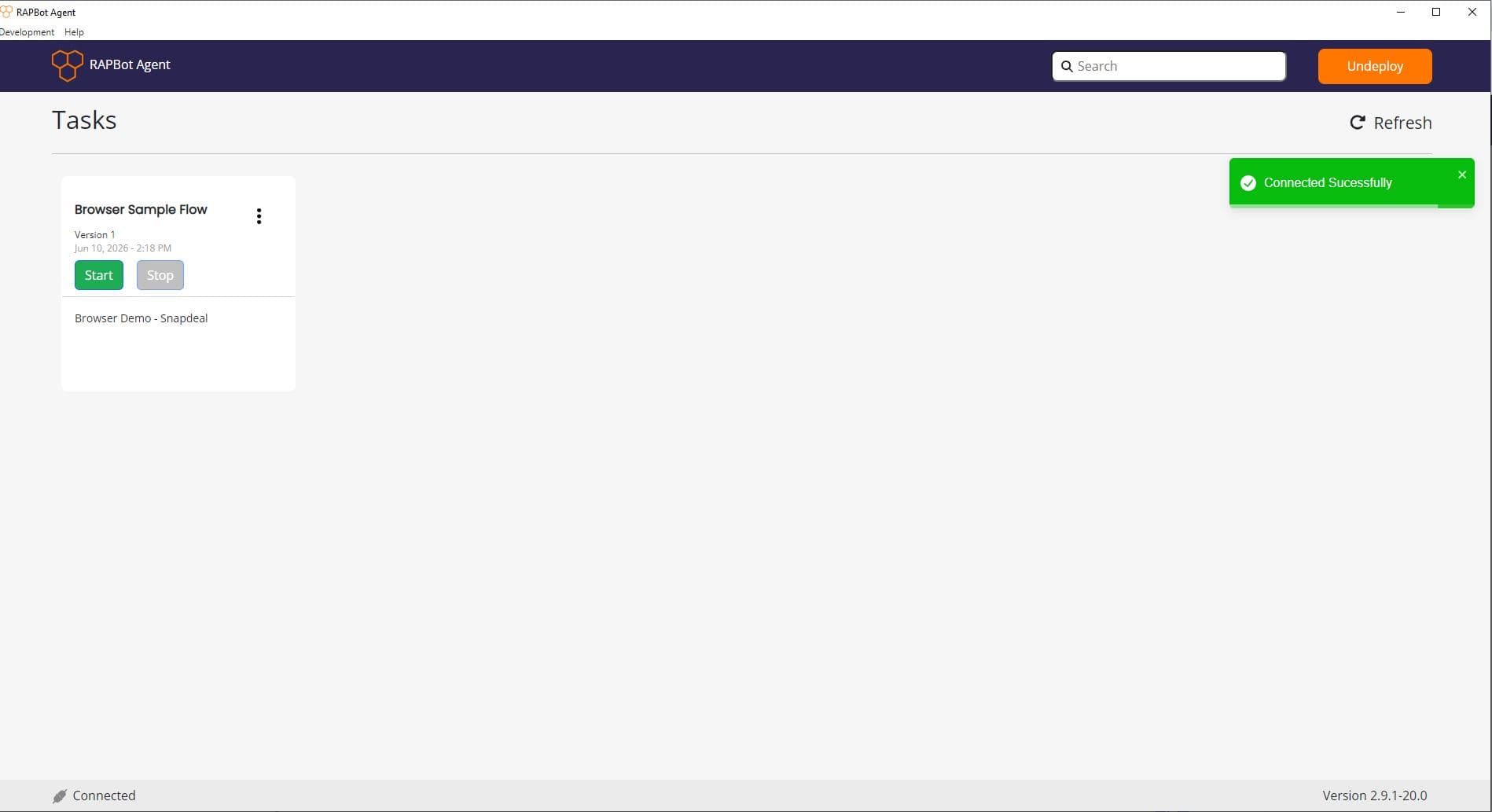
Tasks and configuration sync from Orchestrator automatically within 30 seconds, or immediately when you click Refresh. See Agent Interface.
Connect via CLI
You can also connect using rap-agent connect on machines where the agent service is installed:
rap-agent connectThe CLI prompts for Orchestrator URL, Organization ID, Agent ID, and machine description.
See CLI Reference for service start/stop, status, and disconnect commands.
Agent Status in Orchestrator
| Status | Meaning |
|---|---|
| License Inactive | Agent license is not active |
| Active Not Deployed | Agent exists but is not yet connected to a machine |
| Deployed (Connected) | Agent is connected and RAPBot Agent is running |
| Deployed (Not Connected) | Agent was deployed but lost connection |
Details: Agents — Agent Status and Warnings & Background.
Disconnect
- Agent UI: Click Undeploy in the header
- CLI:
rap-agent disconnect(use-f/--forceif required) - Orchestrator: Undeploy from the organization agents list
Troubleshooting
| Issue | What to check |
|---|---|
| Invalid domain | URL must be reachable; green checkmark on Domain URL |
| Version mismatch | Agent build must support your Orchestrator version |
| Already connected | Undeploy before connecting a different agent |
| Not Connected status | Internet, engine running, agent service in system tray |