Overview
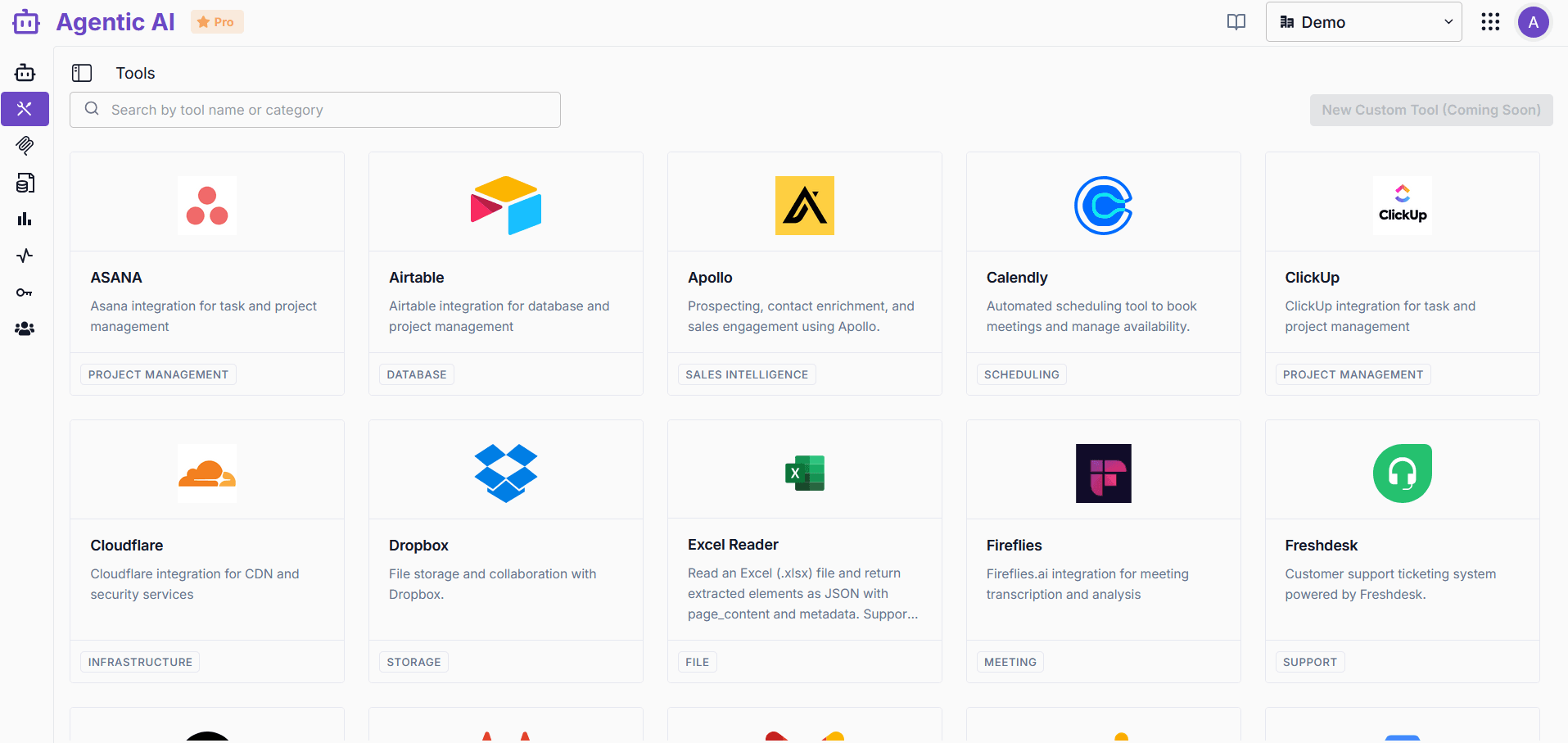
Access to over 50 enterprise-grade tools and integrations for agents in workgroups
Tools are powerful components that allow agents inside an agent workgroup to interact with external services, process data, and perform specialized tasks. They extend the capabilities of your agents by providing access to various APIs and services.
What is a Tool?
A tool is a specialized component that provides a specific functionality or integration with external services. Tools can be used to search the web, interact with databases, process images, generate text or images, communicate via messaging platforms, and much more.
Using Tools in Agents
Tools can be added to Agent blocks by clicking "Add tools" and configuring the required parameters. This allows agents to dynamically choose which tools to use based on the context and requirements of the task.
Tool Configuration
Each tool requires specific configuration to function properly. Common configuration elements include:
- API Keys: Many tools require authentication through API keys
- Connection Parameters: Endpoints, database identifiers, etc.
Available Tools
The platform provides over 50 enterprise-grade tools organized by category:
- Search & Research: Google Serper, SerpApi, Tavily
- Development: GitHub, GitLab
- Communication: Slack, Microsoft Teams, Google Meet, Microsoft Outlook, Gmail, SendGrid
- Productivity: Jira, Google Docs, Google Sheets, Google Tasks, Google Calendar, Microsoft Calendar, Notion
- Storage: OneDrive, Dropbox, SharePoint
- Database: Supabase API, Airtable, Neon, Google BigQuery
- CRM & Sales: HubSpot, Apollo, OnePageCRM, Salesforce, RocketReach
- Project Management: ClickUp, ASANA, Rocketlane
- Customer Support: Zoho Desk, Freshdesk, Zendesk
- Analytics: Google Analytics Admin, PostHog, Mixpanel
- Media: YouTube, Fireflies
- Location: Google Maps
- Payment: Stripe
- AI Memory: Mem0, Zep AI
- Infrastructure: Cloudflare
- Data Extraction: ScrapeGraph, Excel Reader, Zenrows
- Scheduling: Calendly
Each tool has its own dedicated documentation page with detailed instructions on configuration and usage.
Tool Outputs
Tools typically return structured data that can be processed by agents. The format of this data varies depending on the tool and operation but generally includes:
- The main content or result
- Metadata about the operation
- Status information