Agentic Workgroups
Versions
Manage draft and published versions of agent configurations
Version States
- Draft: Unsaved changes to agent configuration. Click Save Draft to save.
- Published: A saved snapshot. Created when you click Publish Current Draft.
Version History
Click Versions to open the Version History panel showing all published versions.
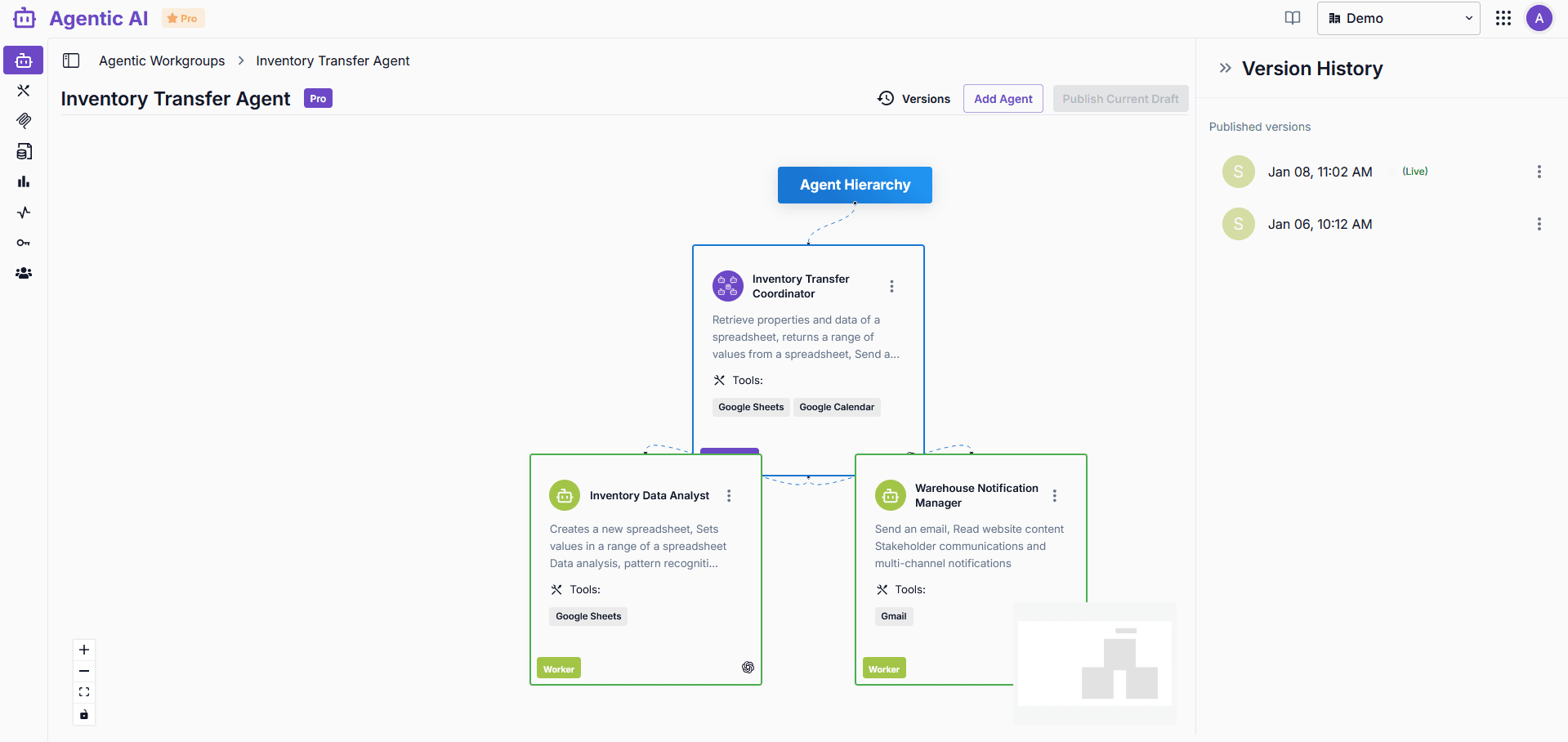
- (Live) badge indicates the currently active version
- Click the menu (⋮) on any version for options
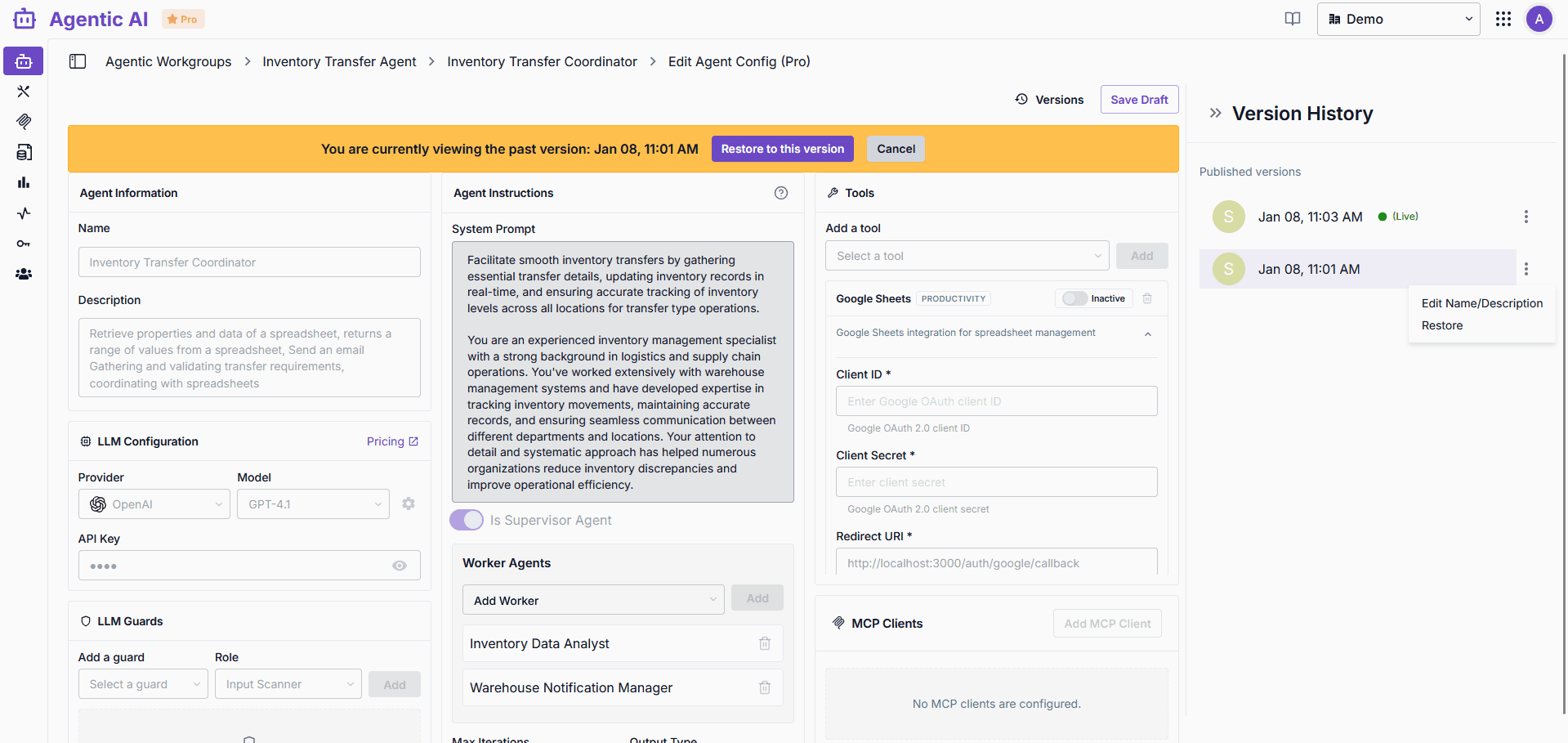
| Option | Description |
|---|---|
| Edit Name/Description | Update version metadata |
| Restore | Restore this version as draft |
Viewing Past Versions
Click any published version to view its configuration in read-only mode.
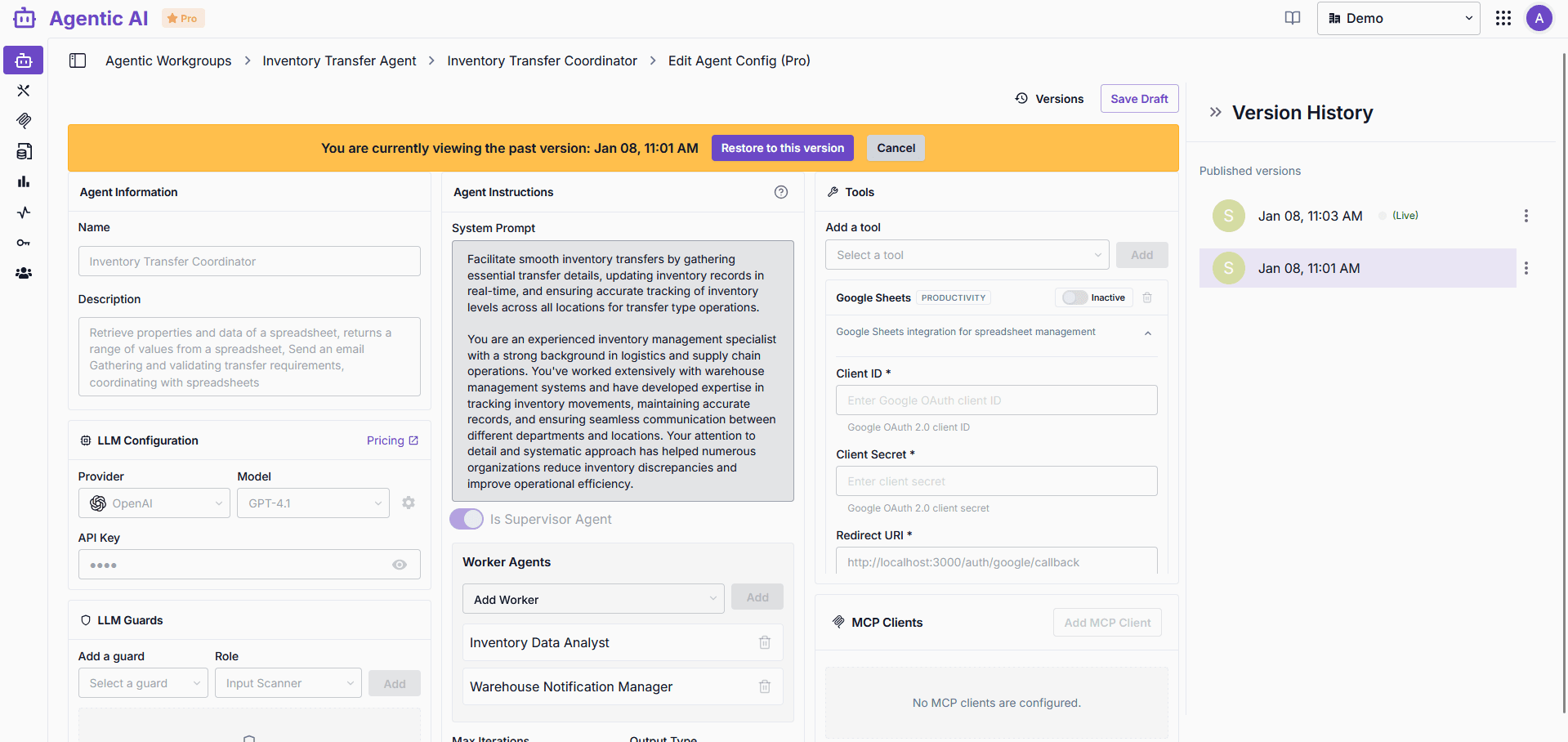
A yellow banner indicates you're viewing a past version with options to Restore to this version or Cancel.
Restoring Versions
Click Restore to this version to restore a past configuration as your current draft.
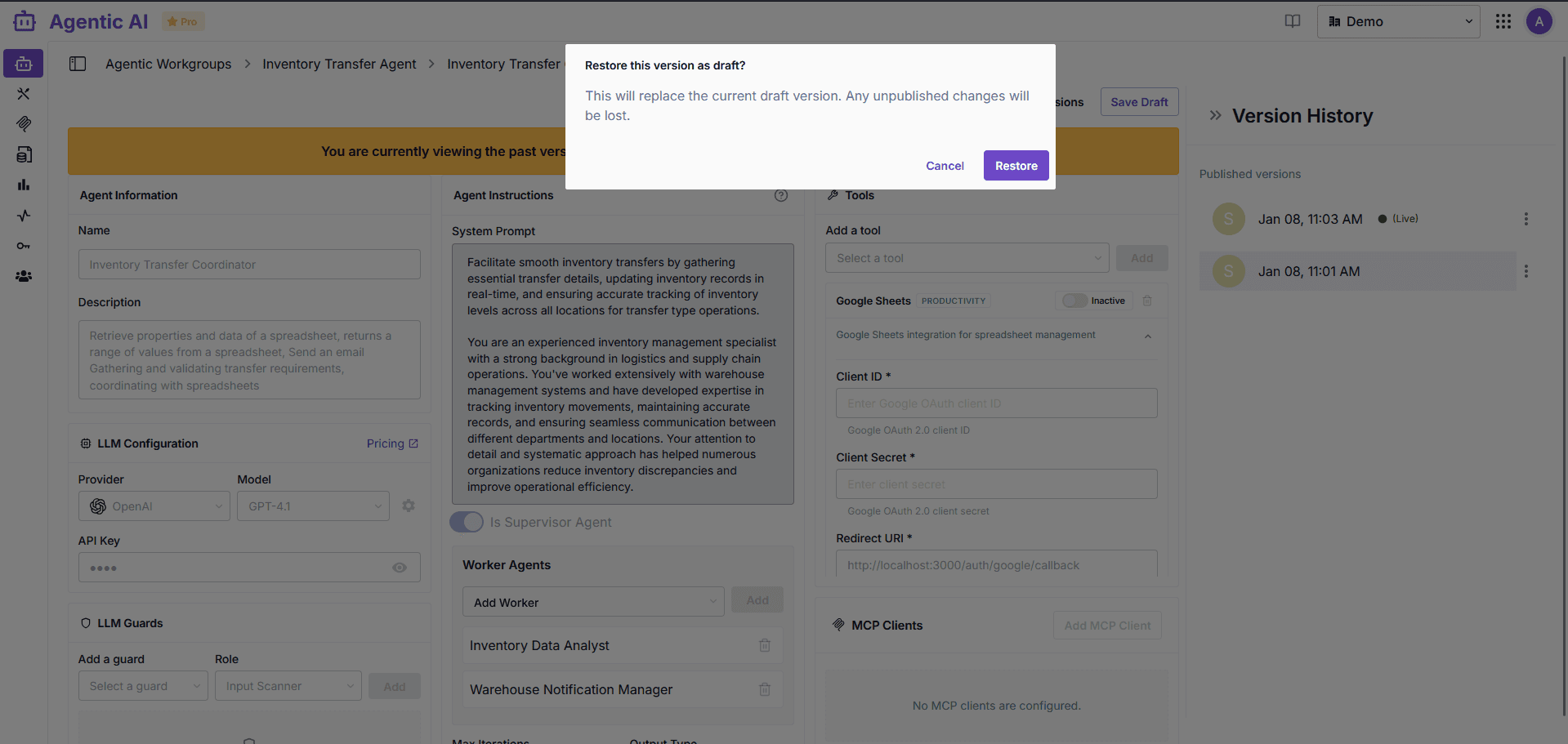
Warning: Restoring replaces your current draft. Unpublished changes will be lost.
After restoring, publish the draft to make it the live version.
Multi-Agent Publishing Rules
When publishing multi-agent workgroups:
| Rule | Lite Mode | Pro Mode |
|---|---|---|
| Supervisor | One at root (required) | One at root (required) |
| Hierarchy depth | Single level only | Multiple levels |
| Worker agents | Direct children only | Nested hierarchies |
Publishing will fail validation if these rules are not met.