Overview
Manage document collections and knowledge bases to provide context to LLMs for RAG capabilities with AI agents
Pro Feature: Knowledge Base management and RAG capabilities are available only in Pro version.
Knowledge bases are document collections created through AIStudio flows that provide context to LLMs, enabling RAG (Retrieval-Augmented Generation) for agents in workgroups.

Knowledge Base Collections
Each collection card displays:
- Documents: Total document count
- Uploaded / Last Updated: Dates for tracking changes
- Text Modality: Database type and embedding model for text
- Image Modality: Database type and embedding model for images
Use the search bar to filter by collection name or embedding model. You can sort collections by last updated, upload date, name, document count, or model. Click View Documents to see collection contents.
Document Details
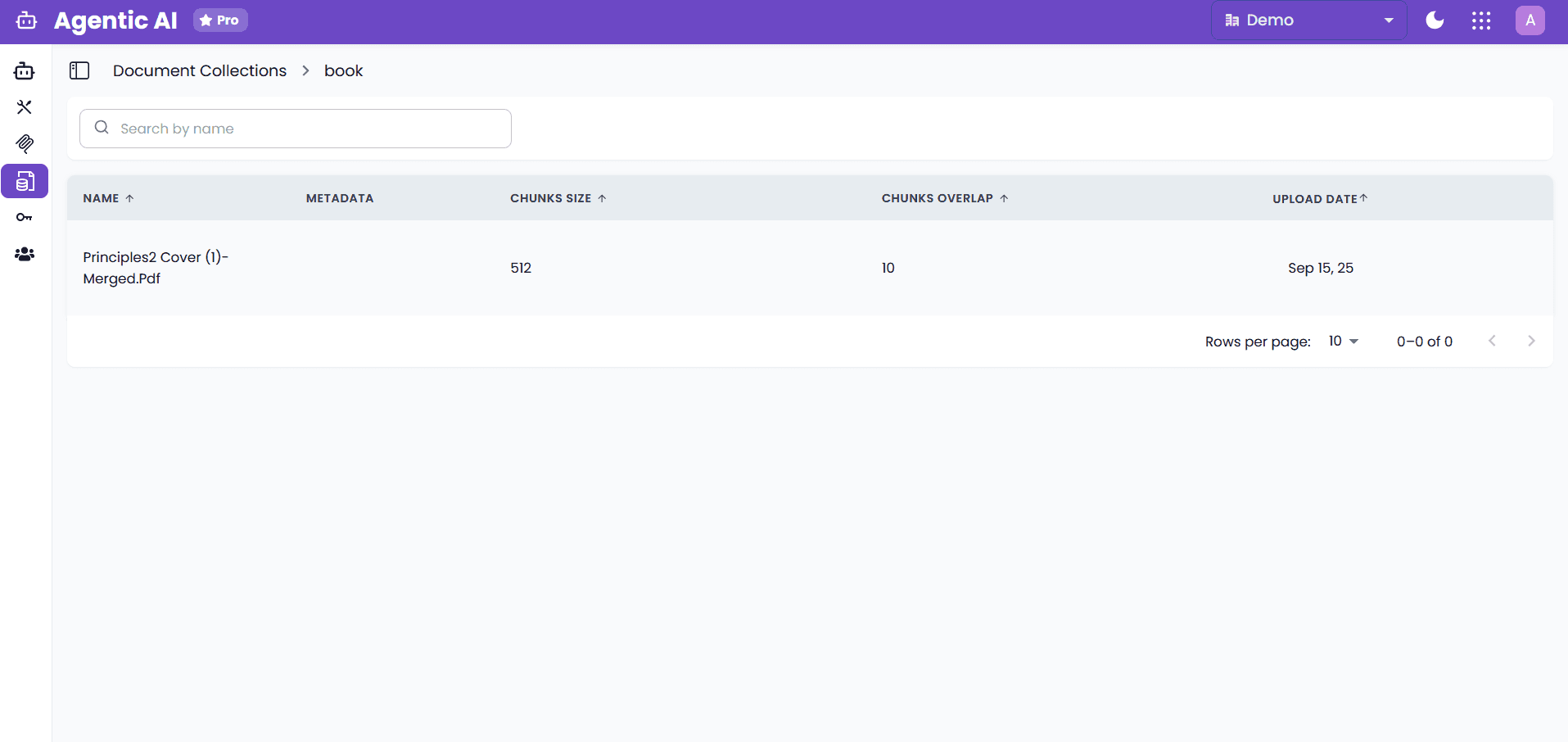
| Column | Description |
|---|---|
| Document | File name and upload time |
| Status | Processing status (Available, Pending) |
| Upload Date | When the document was added |
| Chunks | Number of text chunks created |
| Images | Number of images extracted |
| Retrieval Count | How often retrieved by agents |
| Parameters | Chunking and processing settings |
| Metadata | Custom metadata fields |
Filter documents by text or image database using the badges. Use Refresh to sync latest changes.
Integration with Agents
Knowledge bases are attached per agent in the workgroup configuration screen. The current agent UI supports:
- text retrieval
- text + image retrieval where image results are used as metadata filters
- graph-based text retrieval for graph-backed collections
See Agent Configuration for setup.
Graph-based retrieval (Pro)
Some knowledge base collections can be created with graph-based text storage (graph_based). When an agent retrieves from such a collection, the platform uses graph-based retrieval settings such as query mode, top-k limits, and graph model credentials.
What the agent receives
Even though Graph RAG can produce additional intermediate graph results (entities/relationships), the agent-facing retrieval tool contract is intentionally minimal:
It returns only document_chunks to the agent/LLM.
Example tool output shape:
{
  "document_chunks": [
    { "text": "…", "metadata": { "document_name": "terms.pdf" } }
  ]
}
Token-usage/tracing details may be available in the platform tracing UI, but they are not included in the agent contract.
Related docs
- For how to enable graph-based ingestion/indexing, see LLM Context Indexer.
- For the retrieval-side Graph RAG fields (entities, relationships, and chunks), see LLM Context Retriever.