Observability
Analytics
Monitor and analyze LLM performance, token usage, and request metrics across your agent workgroups.
Overview
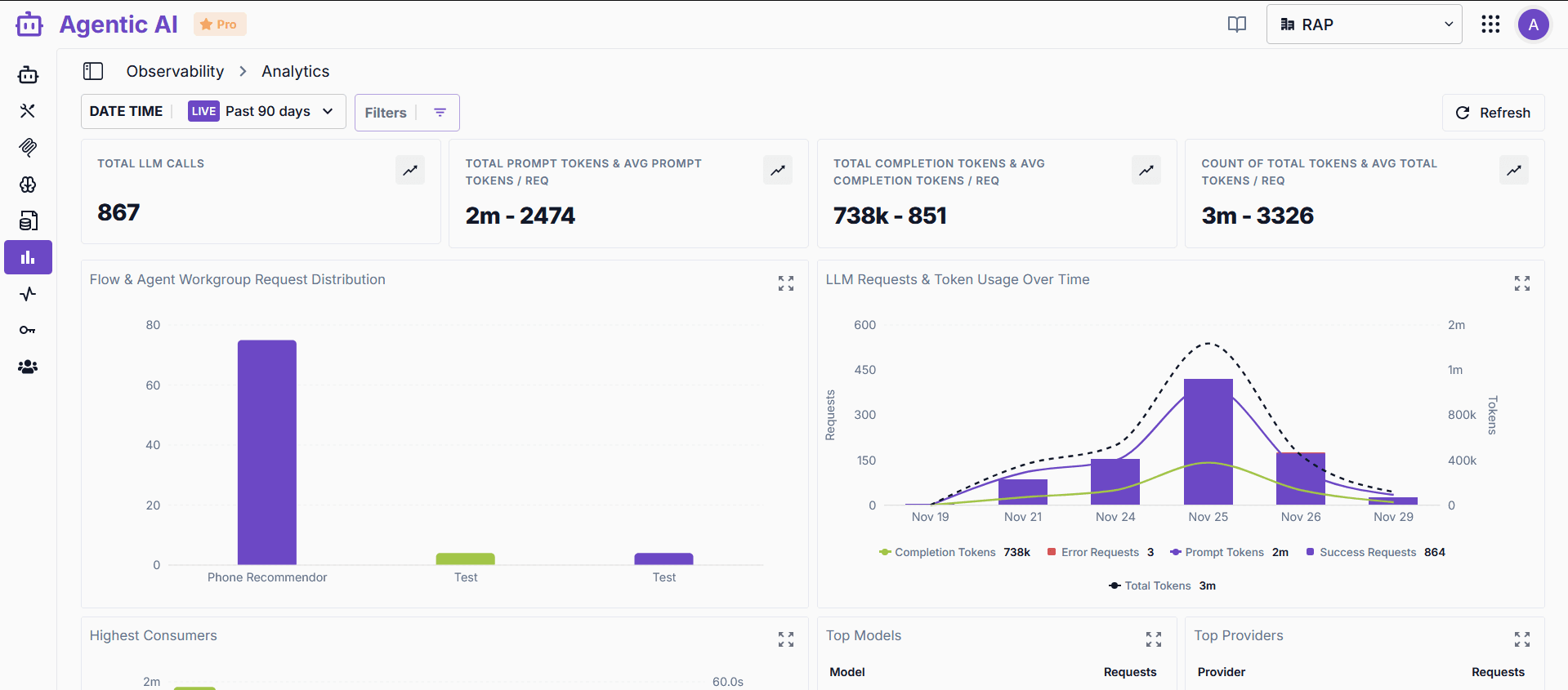
The Analytics dashboard provides comprehensive insights into your agent workgroups' performance, including LLM usage, token consumption, latency metrics, and error tracking.
Key Metrics
Performance Metrics
- Total LLM Calls: Total number of LLM requests made across all workgroups
- Token Usage:
- Total prompt tokens and average per request
- Total completion tokens and average per request
- Total tokens consumed and average per request
- Request Distribution: Breakdown of requests by agent workgroup
- Latency Metrics: P50 and P95 latency measurements for different components
Time-Based Analysis
- LLM Requests Over Time: Track request volume across time periods
- Token Usage Trends: Monitor token consumption patterns
- Activity Timeline: Visual representation of system activity
Dashboard Features
Date Range Selection
- Select time periods (Past 90 days, custom ranges)
- Live mode for real-time monitoring
- Filter by specific workgroups or components
Charts and Visualizations
- Request Distribution Chart: Bar chart showing requests per workgroup
- Token Usage Over Time: Combined bar and line chart tracking tokens and requests
- Component Performance: Token usage and latency by component
- Model Usage: List of models used and their request counts
- Top Errors: Error tracking with counts and types
Data Tables
- Highest Consumers: Workgroups with highest token usage
- Top Models: Most frequently used LLM models
- Top Providers: LLM provider distribution
Use Cases
- Performance Monitoring: Track system performance and identify bottlenecks
- Cost Analysis: Monitor token usage for cost optimization
- Error Tracking: Identify and resolve common errors
- Capacity Planning: Understand usage patterns for scaling decisions
Best Practices
- Regularly review analytics to identify trends
- Monitor token usage to optimize costs
- Track error rates to improve system reliability
- Use date range filters to analyze specific time periods
- Compare metrics across different workgroups