Observability
Traces
Detailed execution traces for agent workgroups, including timeline visualization, token usage, and step-by-step execution details.
Overview
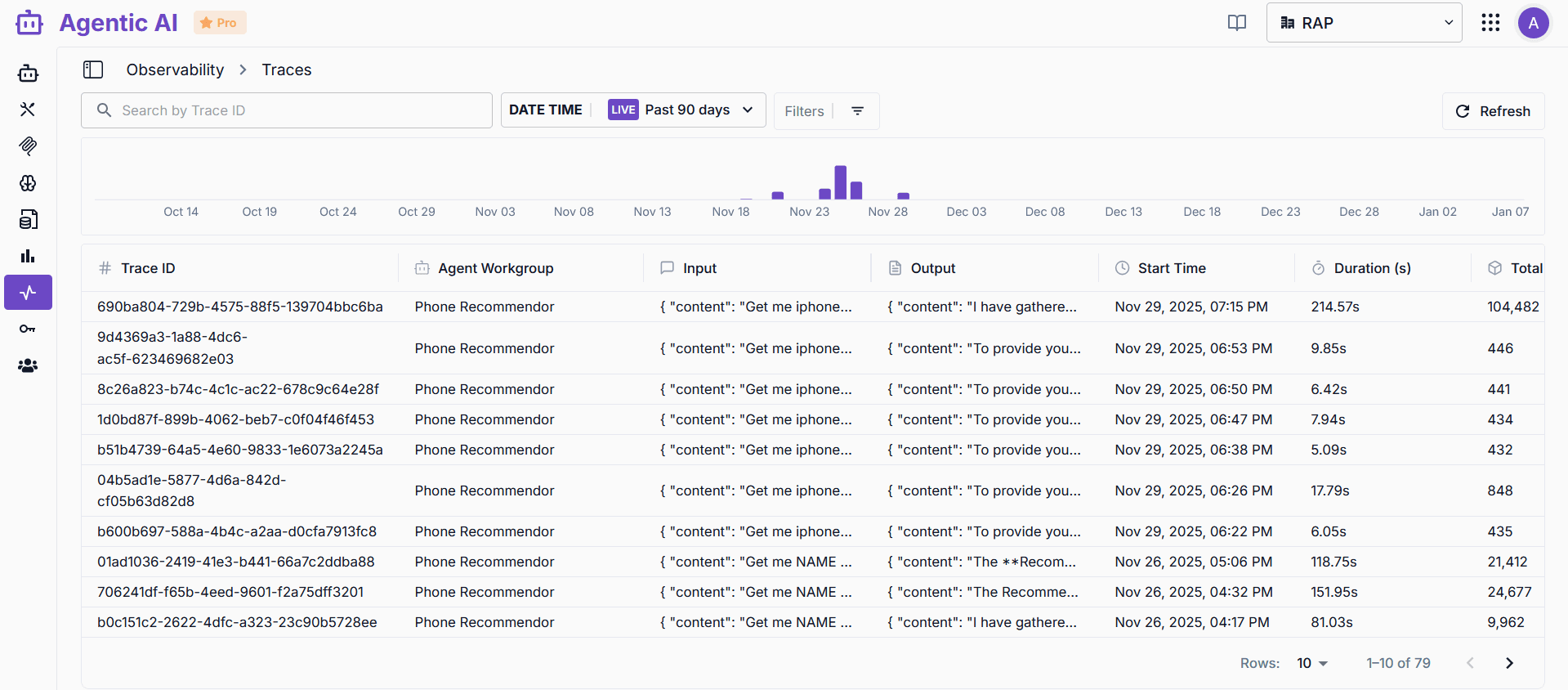
The Traces dashboard provides detailed execution traces for your agent workgroups, allowing you to monitor, debug, and analyze individual agent executions.
Trace List View
Search and Filter
- Search by Trace ID: Find specific traces using trace identifiers
- Date Range Filter: Select time periods (Past 90 days, custom ranges)
- Live Mode: Real-time trace monitoring
- Additional Filters: Filter by workgroup, status, or other criteria
Trace Table
The trace table displays:
- Trace ID: Unique identifier for each execution
- Agent Workgroup: The workgroup that executed the trace
- Input: Initial input provided to the agent
- Output: Final output generated by the agent
- Start Time: When the execution began
- Duration: Total execution time in seconds
- Total Tokens: Token count for the execution
Activity Timeline
Visual timeline showing trace activity over time with bar charts indicating periods of higher activity.
Trace Detail View
Trace Overview
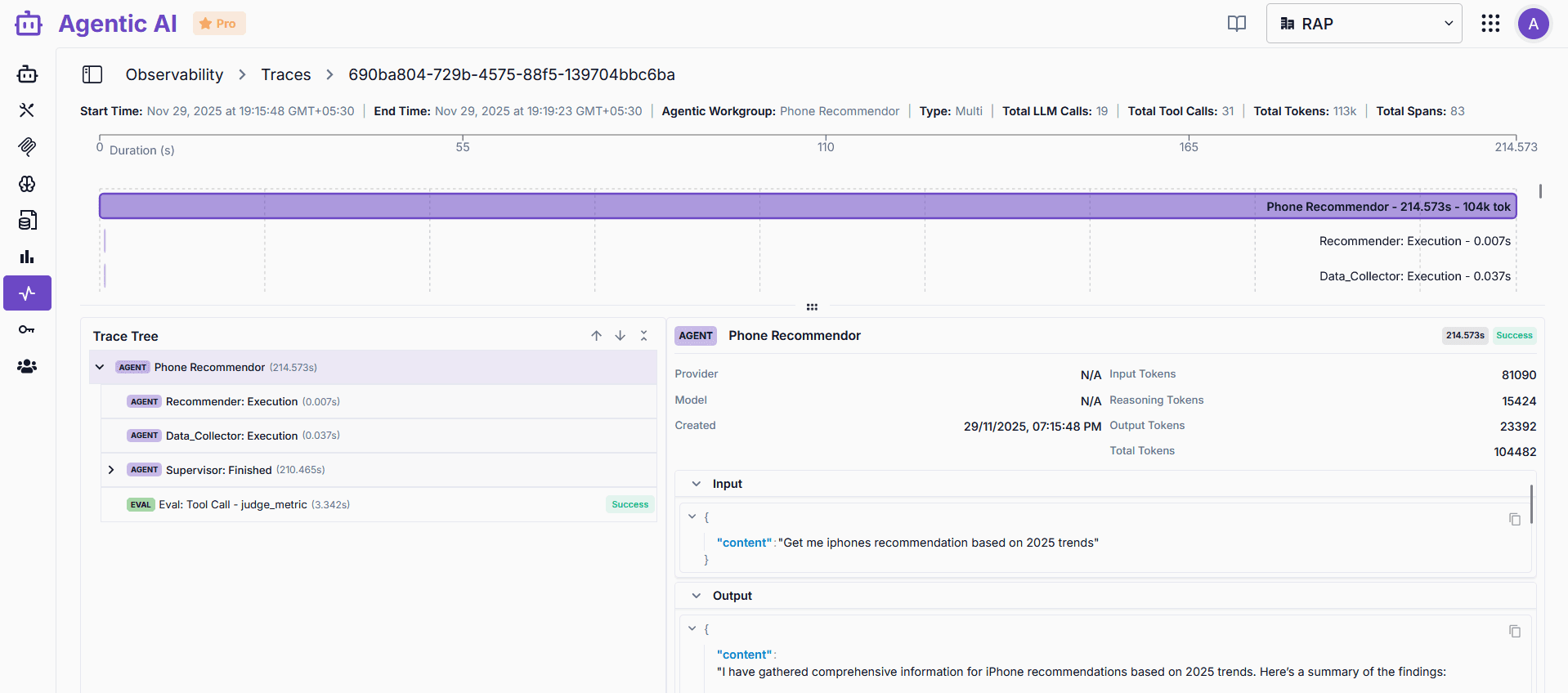
Key metrics displayed at the top:
- Start Time & End Time: Execution time range
- Agent Workgroup: The workgroup that executed
- Type: Single or Multi-agent execution
- Total LLM Calls: Number of LLM requests made
- Total Tool Calls: Number of tool invocations
- Total Tokens: Complete token usage breakdown
- Total Spans: Number of execution spans
Execution Timeline
Horizontal timeline visualization showing:
- Overall execution duration
- Individual agent execution times
- Sub-span durations within the main execution
- Visual representation of the execution flow
Trace Tree
Hierarchical view of execution steps:
- Agent Nodes: Individual agents in the workgroup
- Execution Spans: Specific execution segments
- Evaluation Steps: Tool calls and validations
- Status Indicators: Success, error, or in-progress states
Details Panel
Detailed information for selected trace elements:
- Agent Information: Provider, model, creation timestamp
- Token Usage Breakdown:
- Input tokens
- Reasoning tokens
- Output tokens
- Total tokens
- Input/Output: Full JSON input and output with copy functionality
Use Cases
- Debugging: Identify issues in agent execution
- Performance Analysis: Analyze execution times and bottlenecks
- Token Optimization: Review token usage patterns
- Workflow Understanding: Understand multi-agent interactions
- Error Investigation: Trace errors to specific execution steps
Best Practices
- Use search to quickly find specific traces
- Review trace details to understand execution flow
- Monitor token usage for cost optimization
- Analyze duration patterns to identify performance issues
- Use trace tree to understand multi-agent workflows