
MCP Clients
Manage Model Context Protocol servers for advanced AI model integrations and context sharing across external systems
Pro Feature: MCP (Model Context Protocol) clients are available only in Pro version.
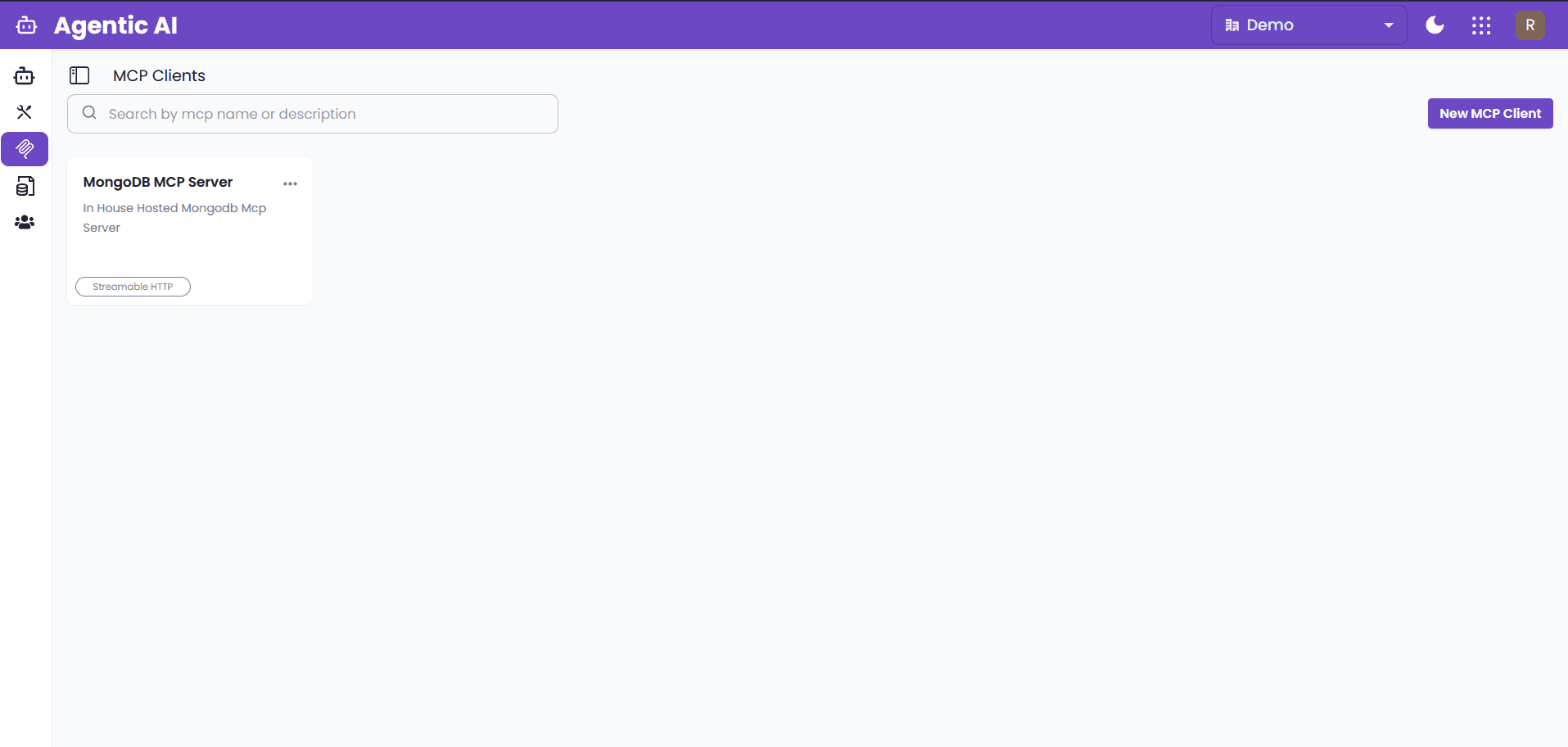
The MCP Clients page provides management and configuration for Model Context Protocol servers, enabling advanced integrations and context sharing between AI models and external systems. These MCP clients can be used by agents in your workgroups to access external data sources and services.
Overview
This page lists all MCP clients added for your organization. MCP (Model Context Protocol) is a standardized protocol for connecting AI models with various data sources and tools. Once MCP clients are created here, they can be used in agent workgroups for enhanced AI capabilities.
Key Features
- Search Functionality: Search MCP clients by name or description
- Add New Clients: Click "Add MCP Client" to configure new MCP servers
- Organization Scope: All MCP clients are scoped to your organization
- Agent Integration: Created MCP clients are available for use in agent workgroups
Adding a New MCP Client
To add a new MCP client, click the "Add MCP Client" button. A popup will open with the following configuration options:
1. Name
- Purpose: Unique identifier for your MCP client
- Requirements: Choose a descriptive name for easy identification
- Example: "MongoDB Production Server" or "Customer Database"
2. Description
- Purpose: Detailed description of the MCP client's purpose and functionality
- Requirements: Optional but recommended for better understanding of the MCP client and its purpose and to be used by the agents.
- Example: "Connects to production MongoDB Atlas cluster for customer data"
3. URL
- Purpose: MCP server URL endpoint to connect to
- Requirements: Must be a valid URL where your MCP server is hosted
- Example:
https://your-mcp-server.com/api/mcporhttps://your-mcp-server.com/api/sse
4. Headers
- Purpose: JSON headers for authentication if your MCP server requires it
- Format: Valid JSON object with authentication headers
- Example:
{ "Authorization": "Bearer <your_token>", "x-api-key": "<your_api_key>" } - Note: Leave empty if your MCP server doesn't require authentication
5. Transport Type
- Purpose: Specify the transport protocol your MCP server uses
- Important: Choose the correct transport type based on your MCP server documentation
- Options: Various transport types available (SSE, Streamable HTTP)
- Warning: Selecting the wrong transport type will cause connection failures
Connection Testing
After filling in all required information:
- Click "Test Connection" to verify the platform can reach your MCP server
- If the connection is successful, you'll see a confirmation message
- If the connection fails, check your URL, headers, and transport type
- Once connection is verified, click "Add MCP Client" to save the configuration
Using MCP Clients in Agent Workgroups
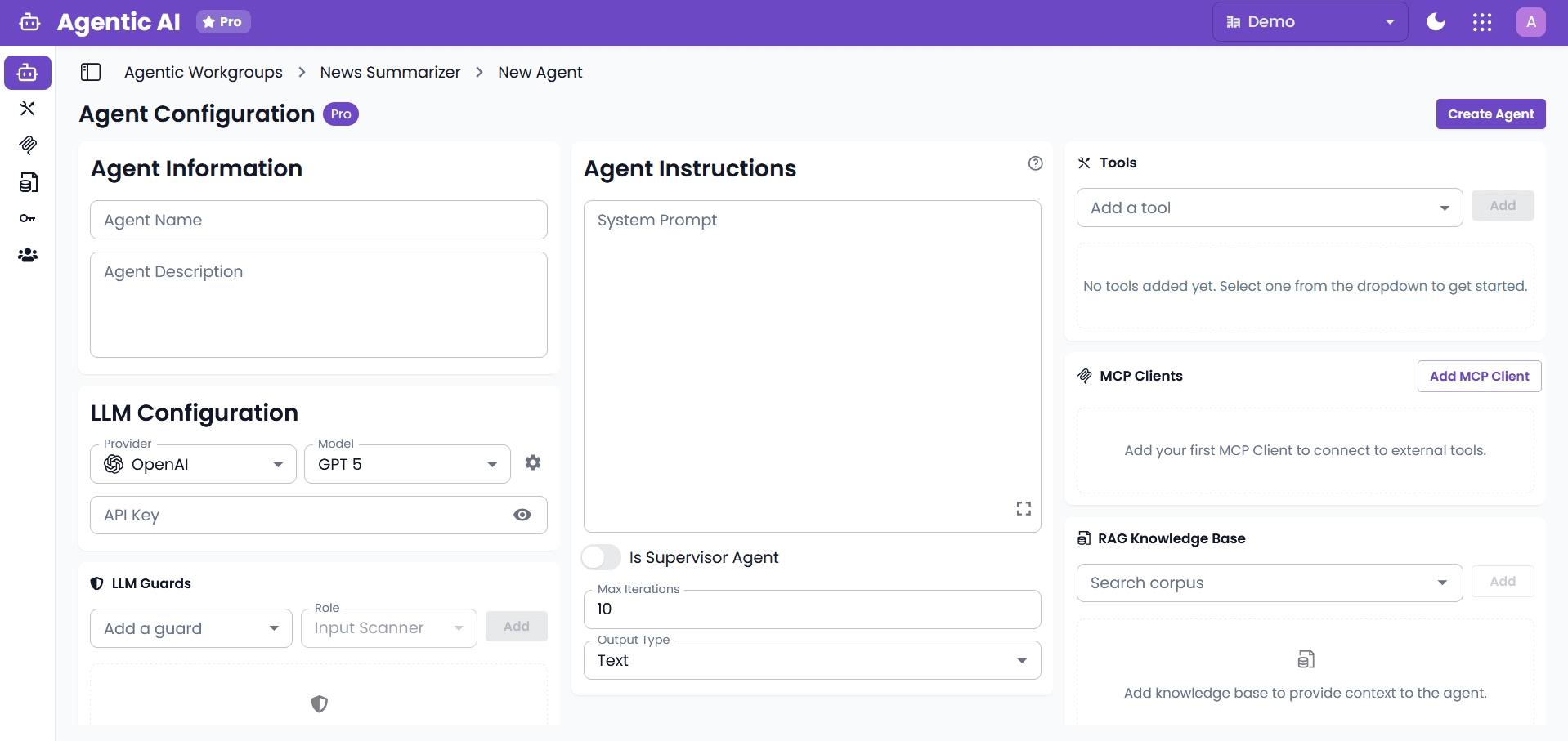
Once MCP clients are successfully created, they become available for use in your agent workgroups. Agents can utilize these MCP clients to access external data sources and services.
Agent Configuration
In the agent configuration screen, you can:
- Select MCP Clients: Choose which MCP clients your agent should have access to
- Configure Permissions: Set appropriate permissions for each MCP client
- Enable Integration: Allow agents to query and interact with external systems through MCP
- Monitor Usage: Track how agents are using MCP client connections
Common Use Cases
Database Integration
- MongoDB Atlas: Connect to MongoDB Atlas clusters for data retrieval
- Customer Databases: Access customer information and transaction history
- Analytics Databases: Query business intelligence and analytics data
- Real-time Data: Enable agents to fetch live data for decision making
API Integration
- CRM Systems: Connect to Salesforce, HubSpot, or other CRM platforms
- External Services: Integrate with third-party APIs and web services
- Microservices: Connect to internal microservices and APIs
- Data Enrichment: Enhance agent responses with external data sources
Custom Protocols
- Organization-specific Systems: Connect to proprietary internal systems
- Legacy Systems: Bridge modern AI agents with legacy infrastructure
- Specialized Protocols: Support industry-specific communication protocols
Troubleshooting
Common Connection Issues
"Failed to Connect" Error
- Check Transport Type: Ensure you've selected the correct transport type from your MCP server documentation
- Verify URL: Confirm the MCP server URL is correct and accessible
- Review Headers: Check authentication headers for typos or expired tokens
- Network Access: Ensure the MCP server is reachable from the platform
Authentication Failures
- Header Format: Verify headers are in valid JSON format
- Token Validity: Check if authentication tokens are still valid
- API Key Permissions: Ensure API keys have the necessary permissions
- Case Sensitivity: Check for case-sensitive header names
Timeout Issues
- Server Availability: Verify the MCP server is running and responsive
- Network Latency: Check for network connectivity issues
- Resource Constraints: Ensure the MCP server has adequate resources
Best Practices
Configuration Best Practices
- Descriptive Names: Use clear, descriptive names that indicate the MCP client's purpose
- Comprehensive Descriptions: Include detailed descriptions for team collaboration and maintenance
- Test Before Saving: Always test connections before saving MCP client configurations
Security Best Practices
- Secure Authentication: Use strong authentication tokens and API keys
- Regular Token Rotation: Periodically rotate authentication credentials
- Minimal Permissions: Grant only the necessary permissions for each MCP client
- Monitor Access: Regularly review and audit MCP client access patterns
Maintenance Best Practices
- Regular Testing: Periodically test MCP client connections to ensure they remain functional
Agent Integration Best Practices
- Selective Access: Only grant agents access to MCP clients they actually need
- Resource Management: Balance MCP client usage across multiple agents to prevent overload
Summary
MCP Clients enable powerful integrations between your AI agents and external systems. By properly configuring MCP clients with the correct transport type, authentication, and connection details, you can extend your agents' capabilities to access databases, APIs, and custom services. These MCP clients become available across your organization for use in agent workgroups, enabling sophisticated AI workflows with real-world data access.