Blocks & Flow EditorCommon
end
Terminate the flow and report success or failure status to Orchestrator
The end block terminates the flow and sets the final execution status. Every task should complete at an end block so Orchestrator records the correct outcome.
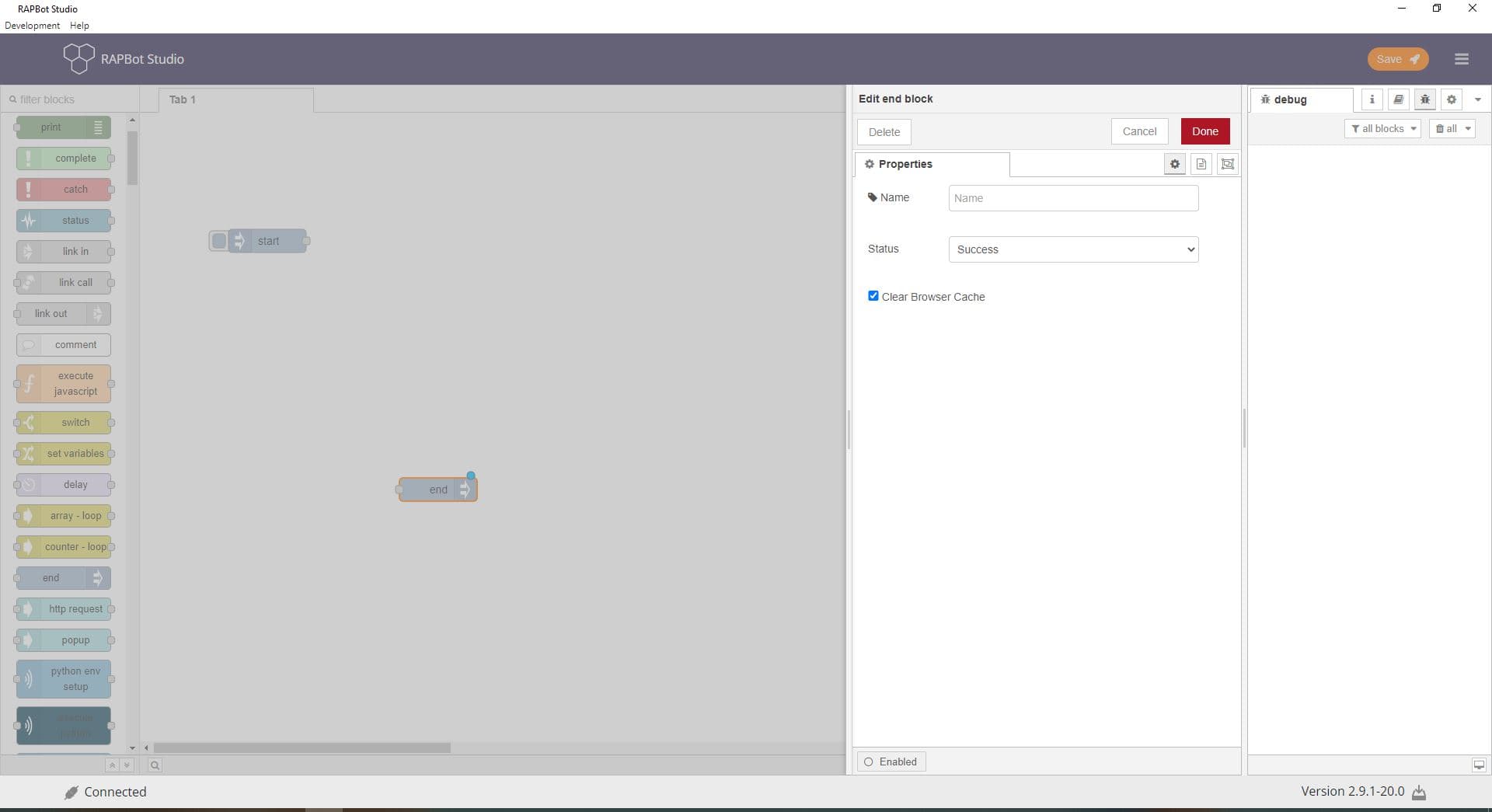
Configuration
| Field | Description |
|---|---|
| Name | Optional display label on the canvas. |
| Status | Success — task completed normally. Failed — task failed; Orchestrator logs this as a failed run. |
| Failure Reason | Text description shown when Status is Failed. Explains why the task failed (e.g. Invoice not found, API timeout). Only visible when Status is Failed. |
| Clear Browser Cache | When checked, clears the browser cache when the flow ends. |
Outputs
The end block has no outputs — it is a terminal block.
| Result | Description |
|---|---|
| Success | Orchestrator records a successful task run |
| Failed | Orchestrator records a failed run with the Failure Reason |
Notes
- Every new task includes a default end block — always wire your flow to reach it
- Route error paths from catch blocks to an end block with Failed status
- Use meaningful Failure Reason text for easier troubleshooting in Orchestrator logs
- Multiple end blocks can exist in one flow (e.g. success path and failure path) — each should set the appropriate status
Related
- Start Block — Flow entry point
- Catch Block — Error handling