Blocks & Flow EditorCommon
set screen resolution
Set display resolution before desktop or image-based automation
The set screen resolution block sets the screen resolution to a specified size. Use it before desktop automation or image-matching blocks to ensure consistent coordinates across development and production environments.
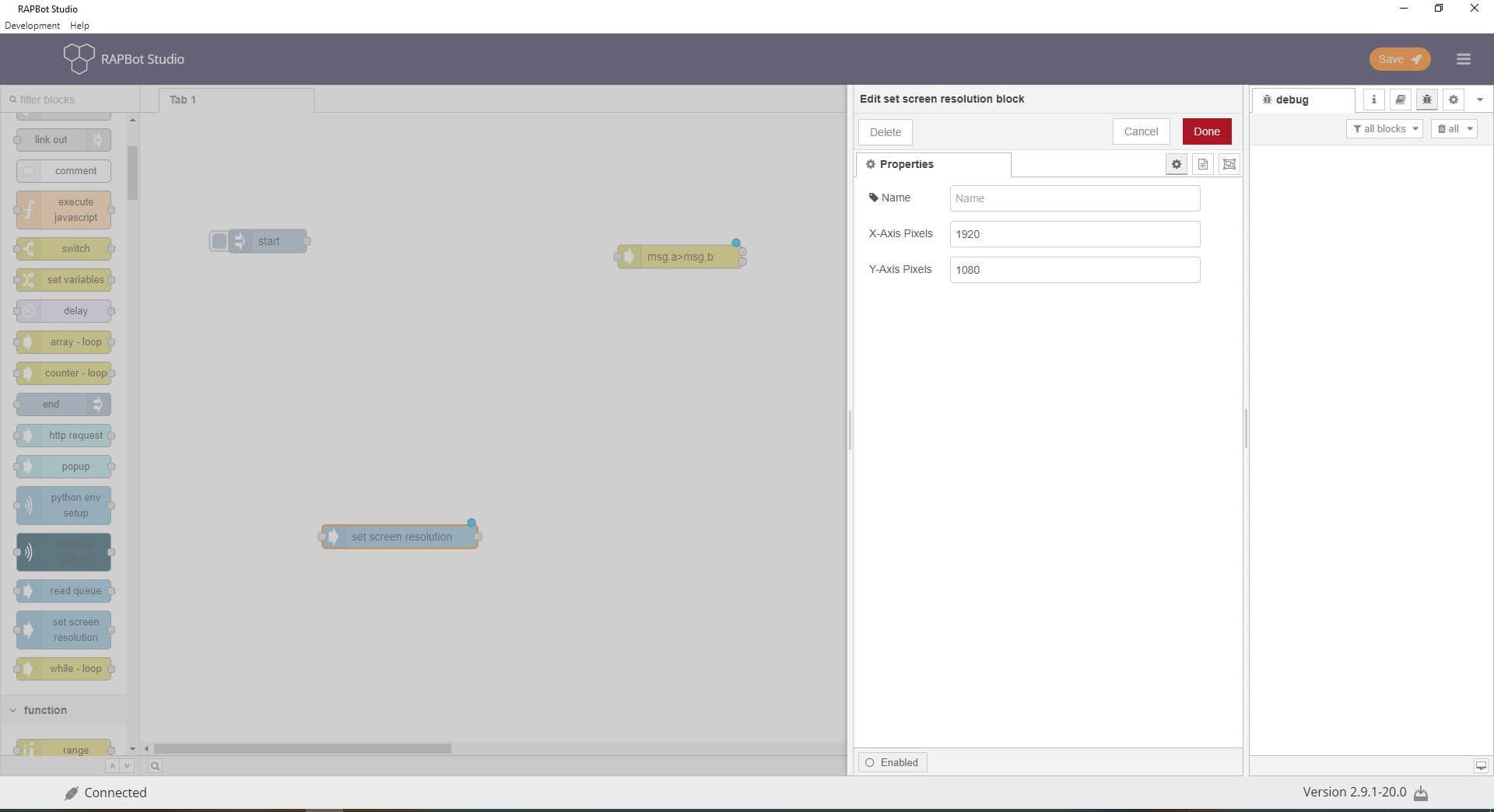
Configuration
| Field | Description |
|---|---|
| Name | Optional display label on the canvas. |
| X-Axis Pixels | Screen width in pixels (e.g. 1920). Supports dynamic values using {variable} from msg properties. |
| Y-Axis Pixels | Screen height in pixels (e.g. 1080). Supports dynamic values using {variable} syntax. |
Outputs
| Port | Description |
|---|---|
| Output 1 (success) | Resolution set successfully, or already matches the target. msg.payload contains a success indicator. |
| Output 2 (error) | Command failed. Error details on msg.payload — connect to a catch block for error handling. |
Notes
- Place early in the flow, before launch browser, mouse click, or image click blocks
- Image-based automation matches more reliably when dev and production use the same resolution
- Use
msg.variablewith{variable}syntax for dynamic resolution from task variables - Changing resolution affects the entire display — coordinate-based blocks depend on this setting