Blocks & Flow EditorCommon
catch
Capture errors from blocks and route to error-handling logic
The catch block captures errors thrown by upstream blocks and sends error details to an error-handling path instead of failing the entire flow silently.
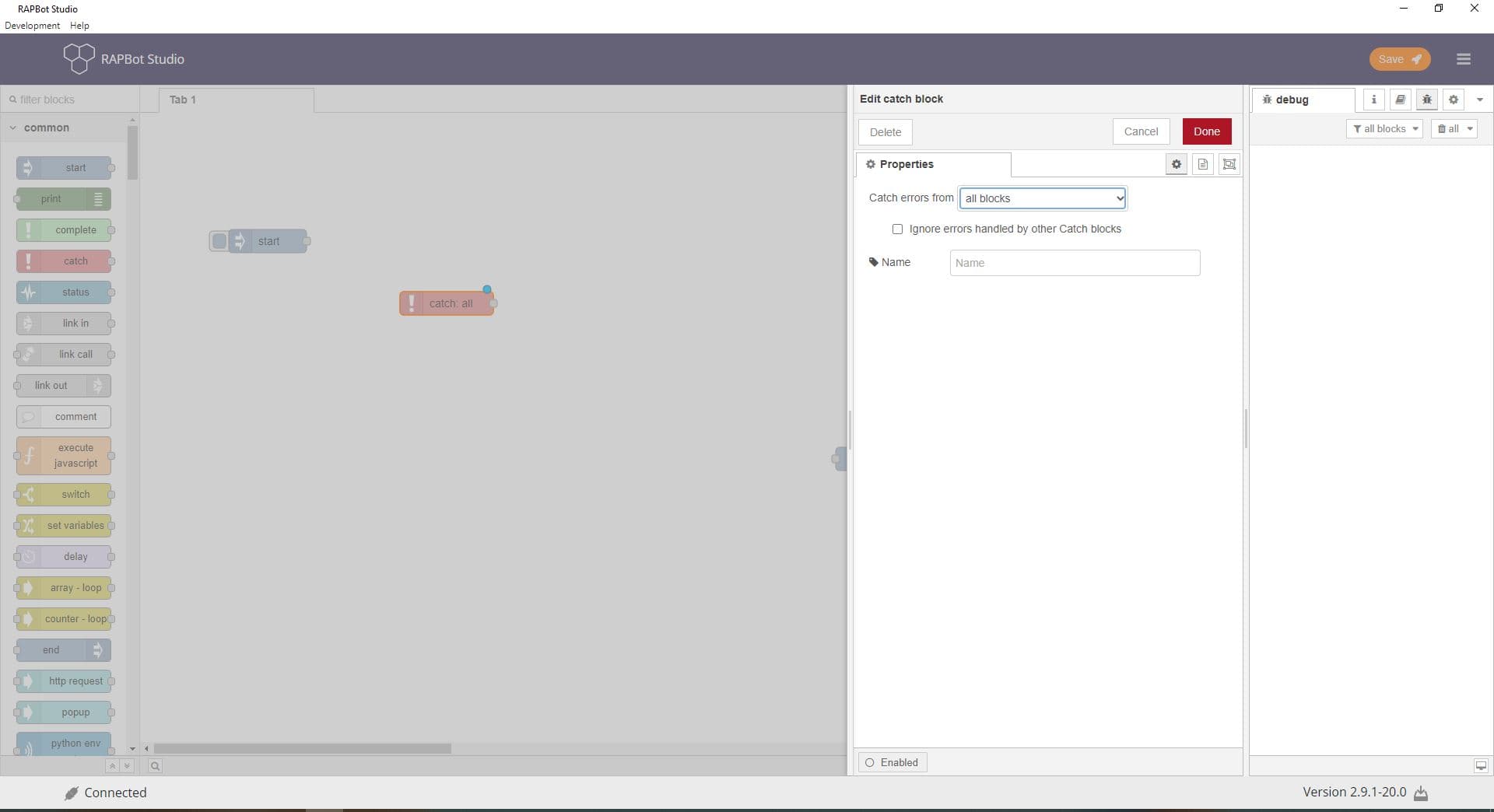
Configuration
| Field | Description |
|---|---|
| Catch errors from | all blocks — catch errors from every block on the current tab. selected blocks — catch only from blocks you pick in the list below. |
| Ignore errors handled by other Catch blocks | When checked, this catch block only receives errors not already handled by another catch block upstream. |
| Select blocks | (Selected blocks mode) Click select blocks to choose which blocks this catch monitors. Use the filter box to search by block name or type. |
| Name | Optional display label. Defaults to catch: all or catch: N for selected scope. |
Outputs
| Port | Description |
|---|---|
| Output 1 | Error message object when a monitored block fails. Contains msg.error with message, source (block id), and error details. |
Error message properties
| Property | Description |
|---|---|
msg.error.message | Human-readable error description |
msg.error.source.id | ID of the block that threw the error |
msg.error.source.type | Block type that failed |
Notes
- catch has no input port — it listens passively for errors in its scope
- Wire the catch output to logging (print), notification (popup), or an end block with Failed status
- Use selected blocks to catch errors only from risky operations (HTTP, database, browser)
- Nested catch blocks: enable Ignore errors handled by other Catch blocks to avoid duplicate handling
Example error flow
[start] → [http request] → [process response] → [end]
              ↓ (on error)
          [catch] → [print] → [end (Failed)]