Studio Landing Page
Overview of the Bot Studio home screen and primary options
When you open Bot Studio, the landing page is your home for managing automation tasks. Before logging in, you can work with local tasks; after logging in, you can also access organization tasks from Bot Management Console.
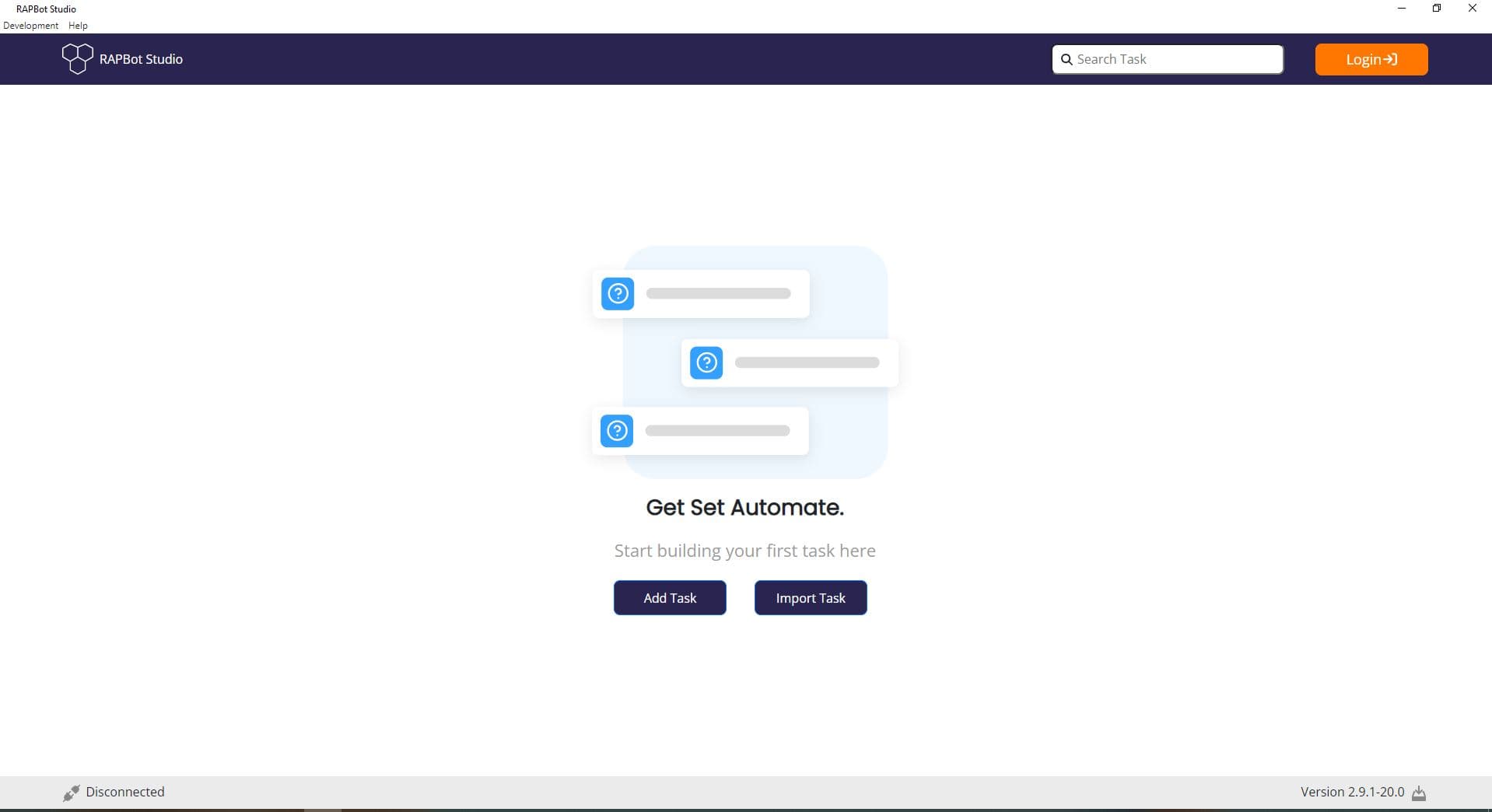
| Element | Description |
|---|
| Bot Studio logo | Application branding in the top-left |
| Search Task | Filter tasks by name on the task dashboard |
| Login | Connect to Bot Management Console (orange button when logged out) |
The center of the screen shows a welcome state when no tasks are visible:
- Get Set Automate. — Welcome heading
- Start building your first task here — Prompt to create or import your first task
| Button | Description |
|---|
| Add Task | Create a new local automation task |
| Import Task | Import an existing task file into Studio |
After login, additional icons appear on the right side of the task area:
| Icon | Description |
|---|
| Toggle switch | Switch between local tasks and organization tasks |
| + (Plus) | Quick access to create a new task |
| Import | Import a task file |
| Envelope | Organization task-related actions |
| Menu | Description |
|---|
| Development | Developer tools and utilities |
| Help | Application help and documentation |
| Element | Description |
|---|
| Disconnected / Connected | Connection status to Bot Management Console |
| Version | Current Studio app version (e.g. Version 2.9.1-20.0) |