Blocks & Flow EditorWindows
windows click
Simulates a mouse click on a specified UI element (button, link, etc.) within a Windows application.
Simulates a mouse click on a specified UI element (button, link, etc.) within a Windows application.
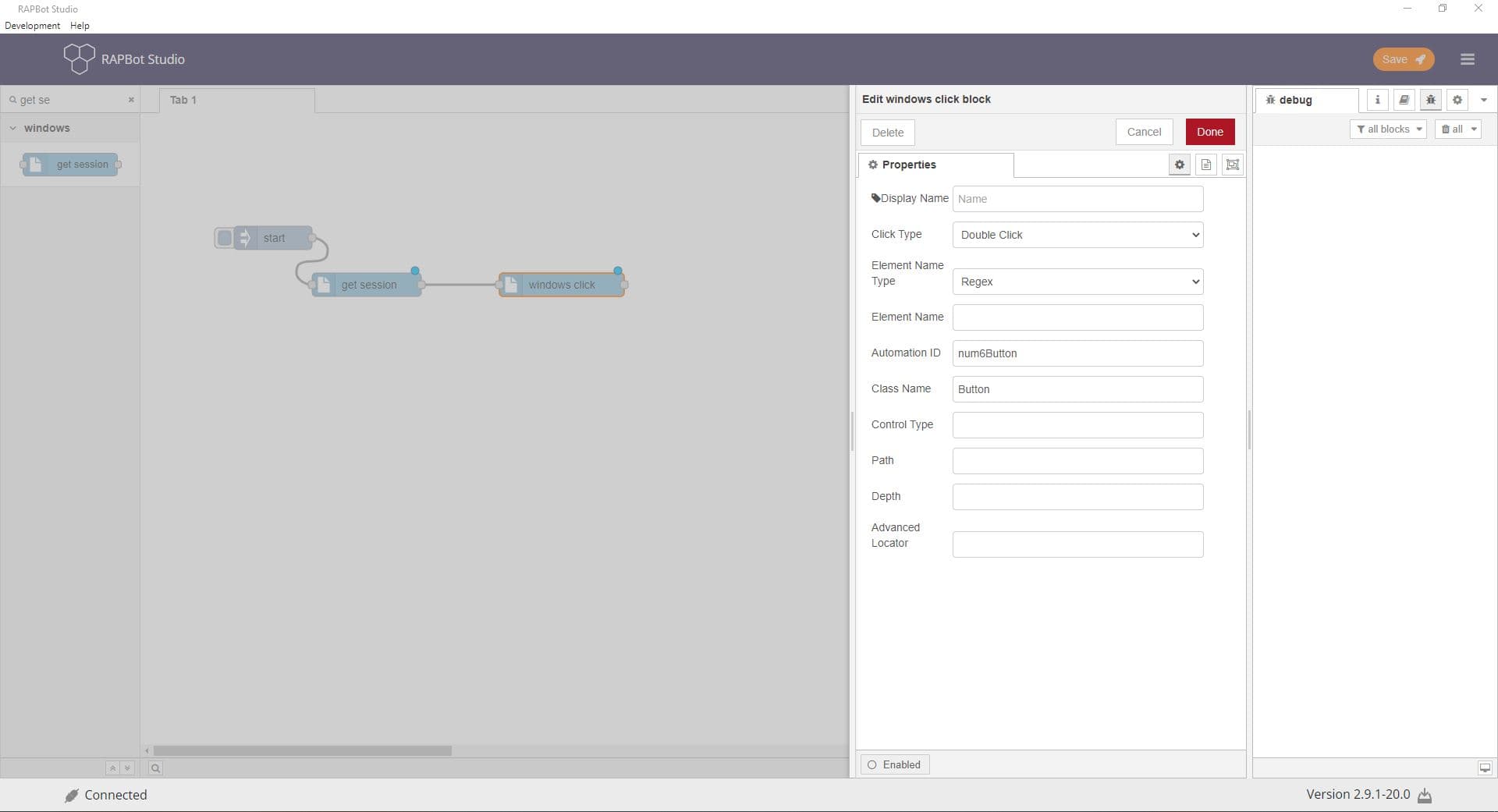
Configuration
| Field | Description |
|---|---|
| Display Name | Label on the block. |
| Click Type | Click, Double Click, or Right Click. |
| Element Name Type | Full Name, Sub Name, or Regex. |
| Element Name | Window or element title to target. |
| Automation ID | UI automation identifier from Inspect.exe. |
| Class Name | Window class identifier. |
| Control Type | UI control type. |
| Path | Element locator path. |
| Depth | Element tree depth (default 8). |
| Advanced Locator | Custom locator string for identifying the element. |
Outputs
| Port | Description |
|---|---|
| Output 1 | Message passes through after the operation completes |
Notes
- Requires get session block earlier in the flow.
- Use Inspect.exe (Windows SDK) to find element identifiers.
- Left-click selects or activates; right-click opens context menus; double-click opens items.