Blocks & Flow EditorCommon
popup
Display an attended popup form to collect user input during flow execution
The popup block displays a popup dialog during flow execution. Use it in attended automations to collect input from the operator or show a confirmation form with custom fields.
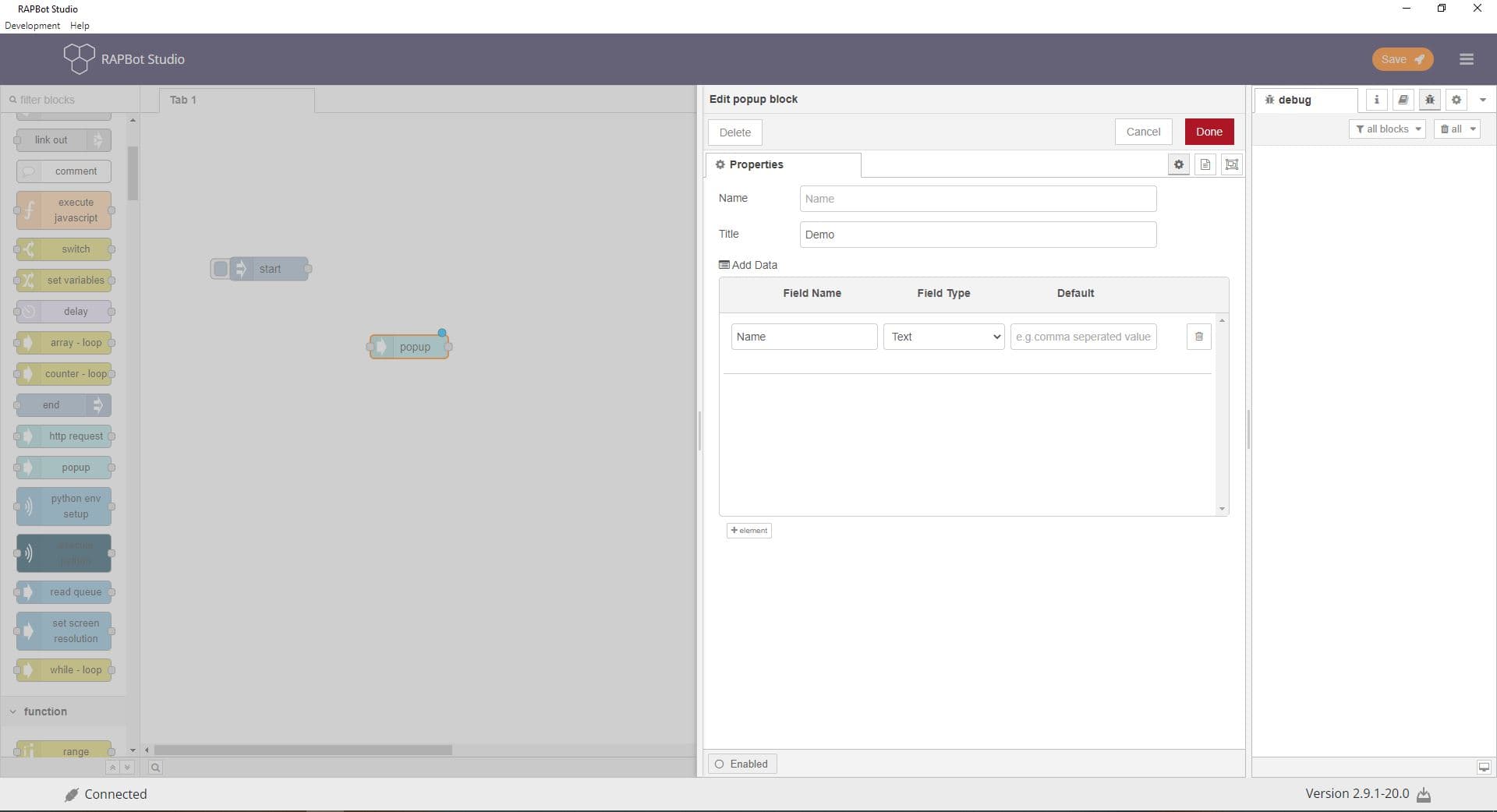
Configuration
| Field | Description |
|---|---|
| Display Name | Label shown on the block in the canvas (required). |
| Title | Title text displayed at the top of the popup dialog (required). |
| Form fields | List of input fields shown in the popup. Click + to add fields. Each row defines one field. |
Form field columns
| Column | Description |
|---|---|
| Name | Field label shown to the user in the popup. |
| Type | Input type: Text, Password, or Number. |
| Default value | Pre-filled value. For multiple options, use comma-separated values. |
Outputs
| Port | Description |
|---|---|
| Output 1 | Message with user-entered values. Field names map to properties on msg for downstream blocks. |
Notes
- Popups require human interaction — use only in attended agent scenarios
- The flow pauses until the user submits or dismisses the popup
- Field values entered by the user are available to subsequent blocks via the message object
- Keep forms short — only collect data the flow actually needs