Blocks & Flow EditorCommon
http request
Send HTTP requests to REST APIs and external web services
The http request block makes an HTTP call to a given URL. Use it to integrate with REST APIs, webhooks, and third-party services.
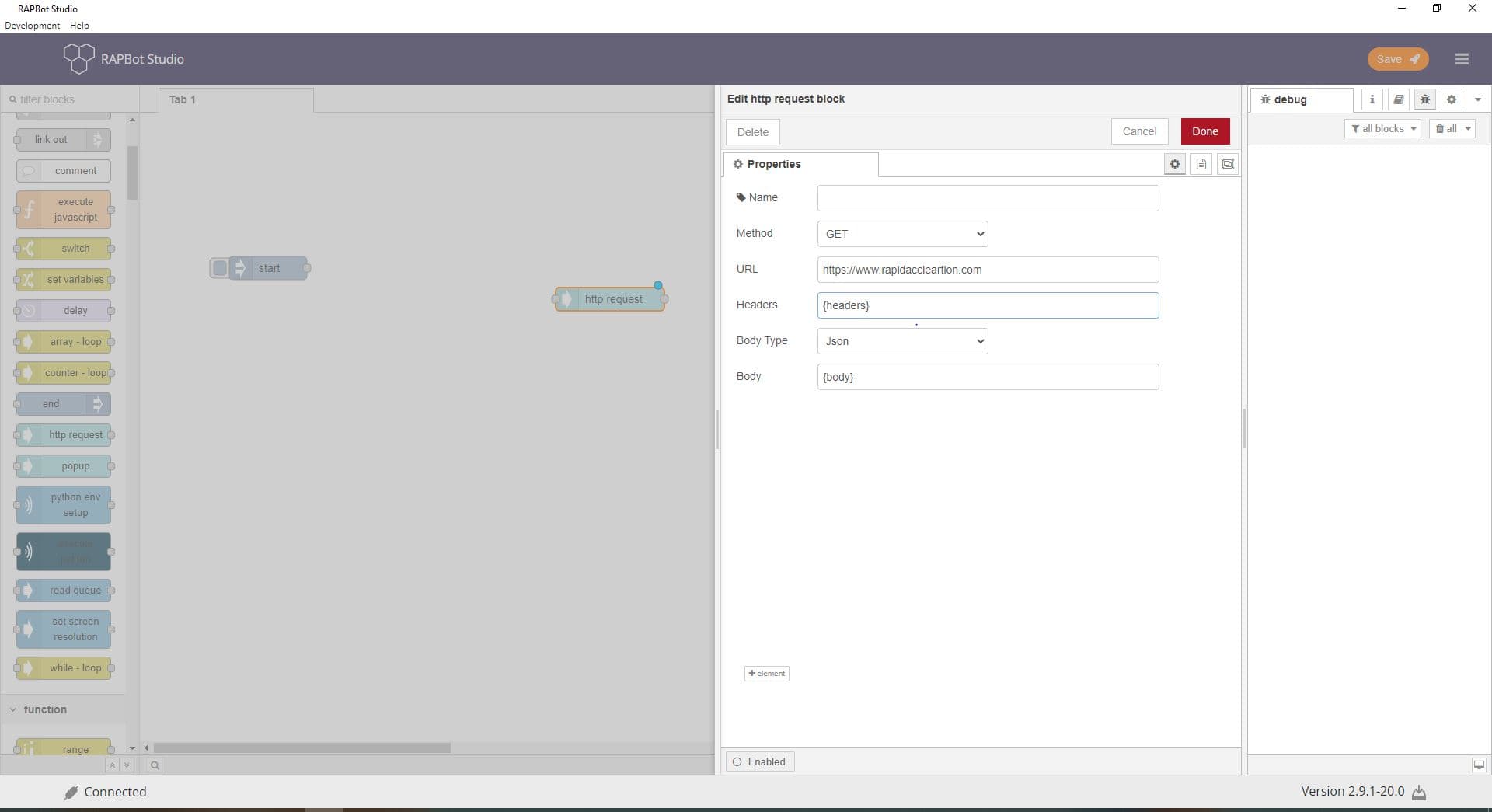
Configuration
| Field | Description |
|---|---|
| Name | Optional display label on the canvas. |
| Method | HTTP verb: GET, POST, PUT, DELETE, or PATCH. |
| URL | Request URL. Supports dynamic values using {variable} syntax from msg properties. |
| Headers | Request headers as JSON (e.g. {"Content-Type": "application/json"}). Supports {payload} and other message references. |
| Body Type | Json — raw JSON body. FormData — key/value form fields with file support. |
| Body (Json mode) | Request body content. Use {payload} to send msg.payload, or a JSON template with {variable} placeholders. |
| Body (FormData mode) | List of form fields. Each row has Data Type (TEXT or FILE), key, and value. Click + element to add fields. |
FormData field types
| Type | Description |
|---|---|
| TEXT | Text form field |
| FILE | File upload field — value is the file path |
Outputs
| Port | Description |
|---|---|
| Output 1 | Response body in msg.payload. Status code and headers are available on the message object for downstream blocks. |
Notes
- Use
{variable}in URL, headers, and body to substitute values from the incoming message dynamically - For authenticated APIs, set headers such as
Authorizationin the Headers field - Pair with catch blocks to handle HTTP errors
- GET requests typically omit the body