Blocks & Flow EditorExcel
excel filter
The **excel filter** block filters rows based on column conditions.
The excel filter block filters rows based on column conditions.
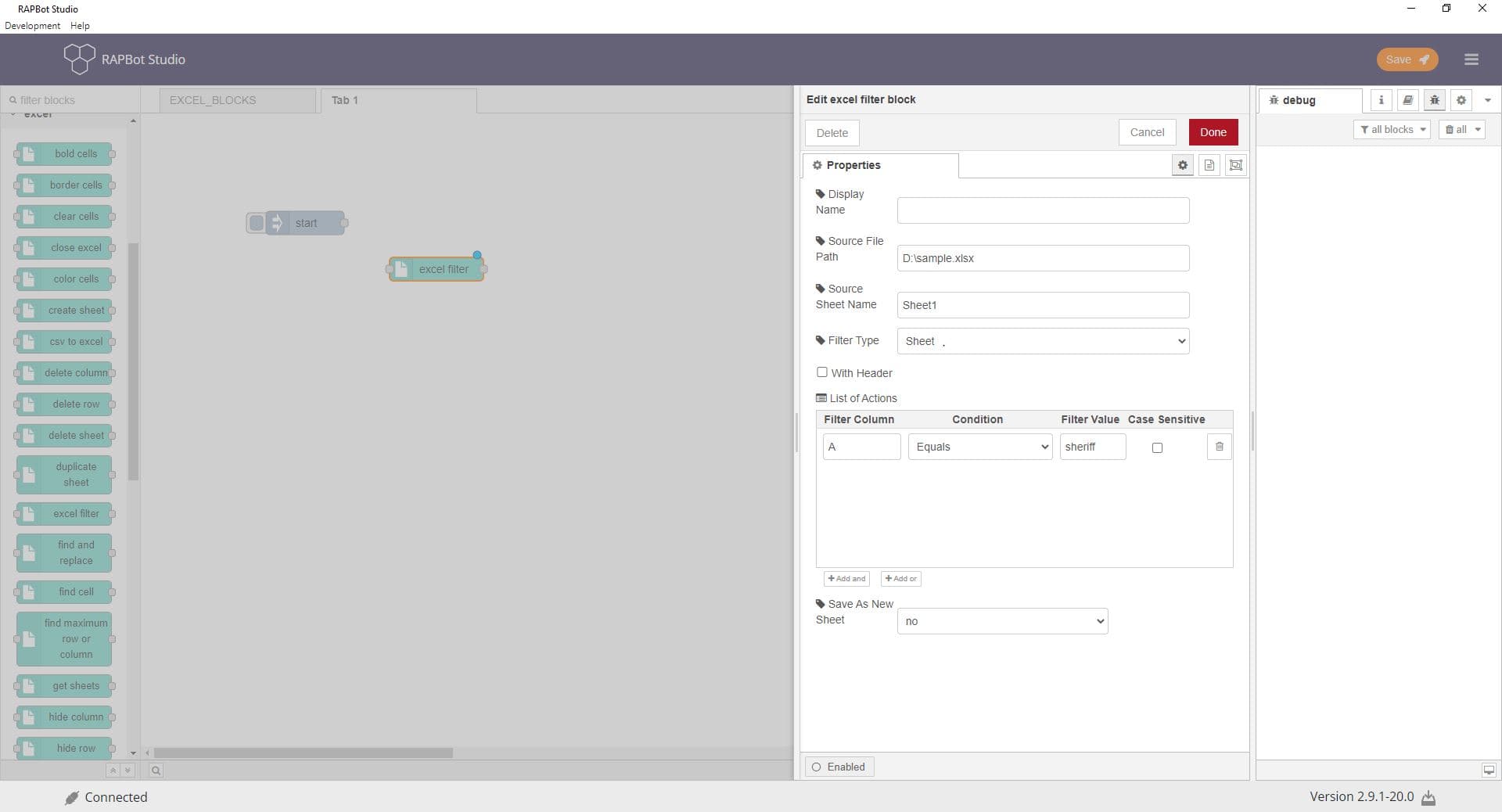
Configuration
| Field | Description |
|---|---|
| Display Name | Optional label shown on the block in the canvas. |
| Source File Path | Full path to the Excel workbook file (.xlsx). Supports dynamic {variable} substitution from msg. |
| Source Sheet Name | Exact name of the worksheet tab (case-sensitive). |
| Filter Type | Sheet — filter entire sheet. Range — filter a cell range. |
| Cell Range | Range to filter when Filter Type is Range. |
| Copy Sheet Format | Preserve formatting when filtering. |
| With Header | Treat first row as column headers. |
| Filter Column | Column number or header name. |
| Condition | Equals, Contains, Begins with, Ends with, Greater than, Less than, etc. |
| Filter Value | Value to filter on. |
| Case Sensitive | When checked, match exact case. |
| Save As New Sheet | Write filtered results to a new sheet. |
| New Sheet Name | Name for the filtered output sheet. |
Outputs
| Port | Description |
|---|---|
| Output 1 | Message passes through after the operation completes |