Blocks & Flow EditorEmail
move mail
Moves emails based on user-defined criteria.
Moves emails based on user-defined criteria.
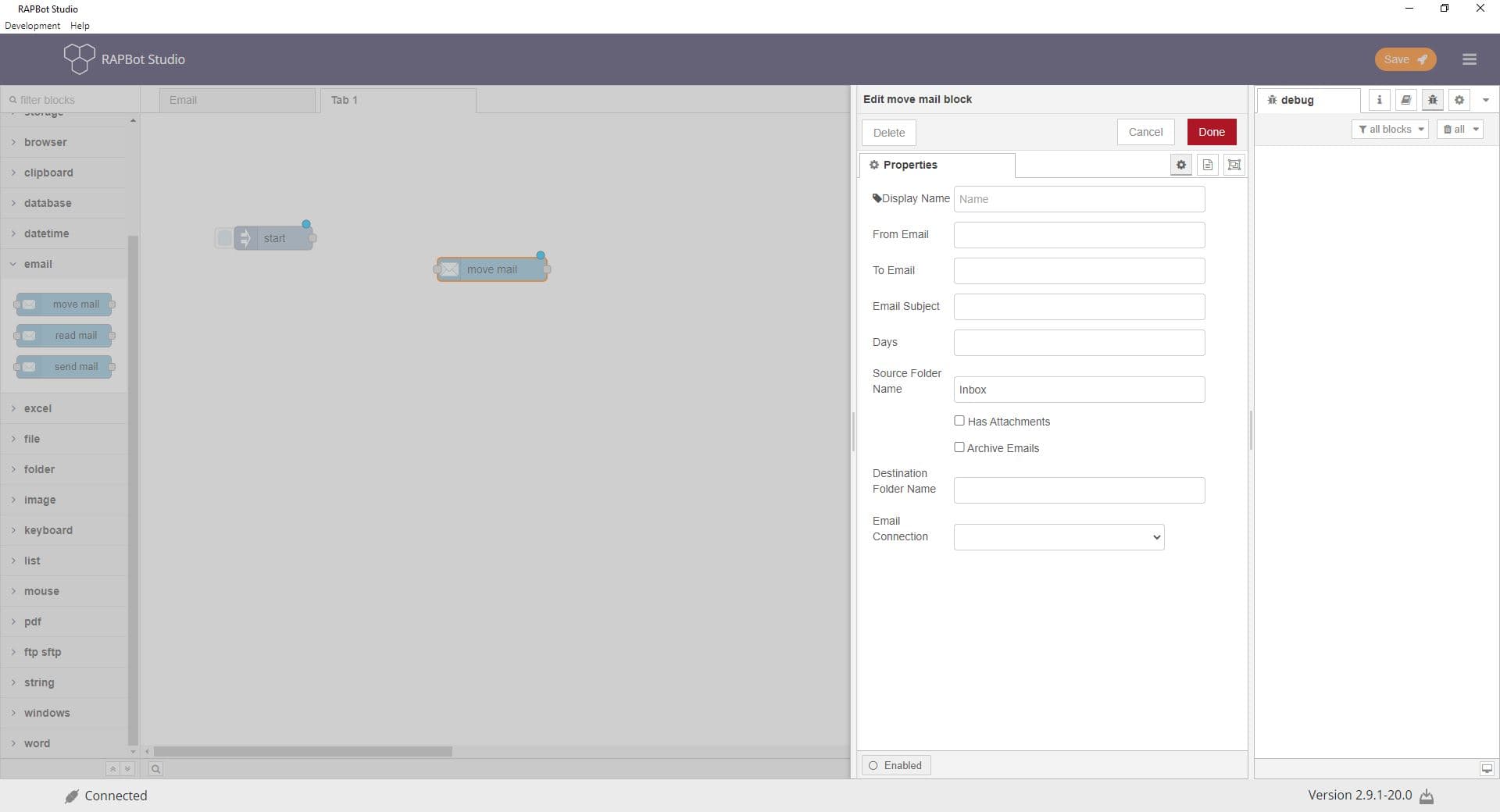
Configuration
| Field | Description |
|---|---|
| Display Name | Label on the block. |
| From Email | Filter by sender. |
| To Email | Filter by recipient. |
| Email Subject | Filter by subject keywords. |
| Days | Relative day range (0=today, 1=today+yesterday, etc.). |
| Source Folder Name | Folder to move from (default Inbox). |
| Has Attachments | Only move emails with attachments. |
| Archive Emails | Archive instead of moving; disables destination folder. |
| Destination Folder Name | Target folder (disabled when archiving). |
| Email Connection | Email account credentials. |
Outputs
| Result | Description |
|---|---|
| Output | Count of emails successfully moved. |
Notes
- Success output reports count of emails moved.